
Tracking stock — or not
Under “Stock” every variant of every product has its own row with its level. Whether the shop pays attention to stock is your choice per variant, with “Track stock”.
Switched on, a variant is no longer available once its stock reaches zero: the shop shows “Not available” and no longer lets it into the cart. Switched off, it always counts as available — which suits vouchers or goods you roast to order. New variants start without tracking.
- Open “Stock” and click “Edit” on the variant.
- Tick “Track stock”.
Booking goods instead of overwriting numbers
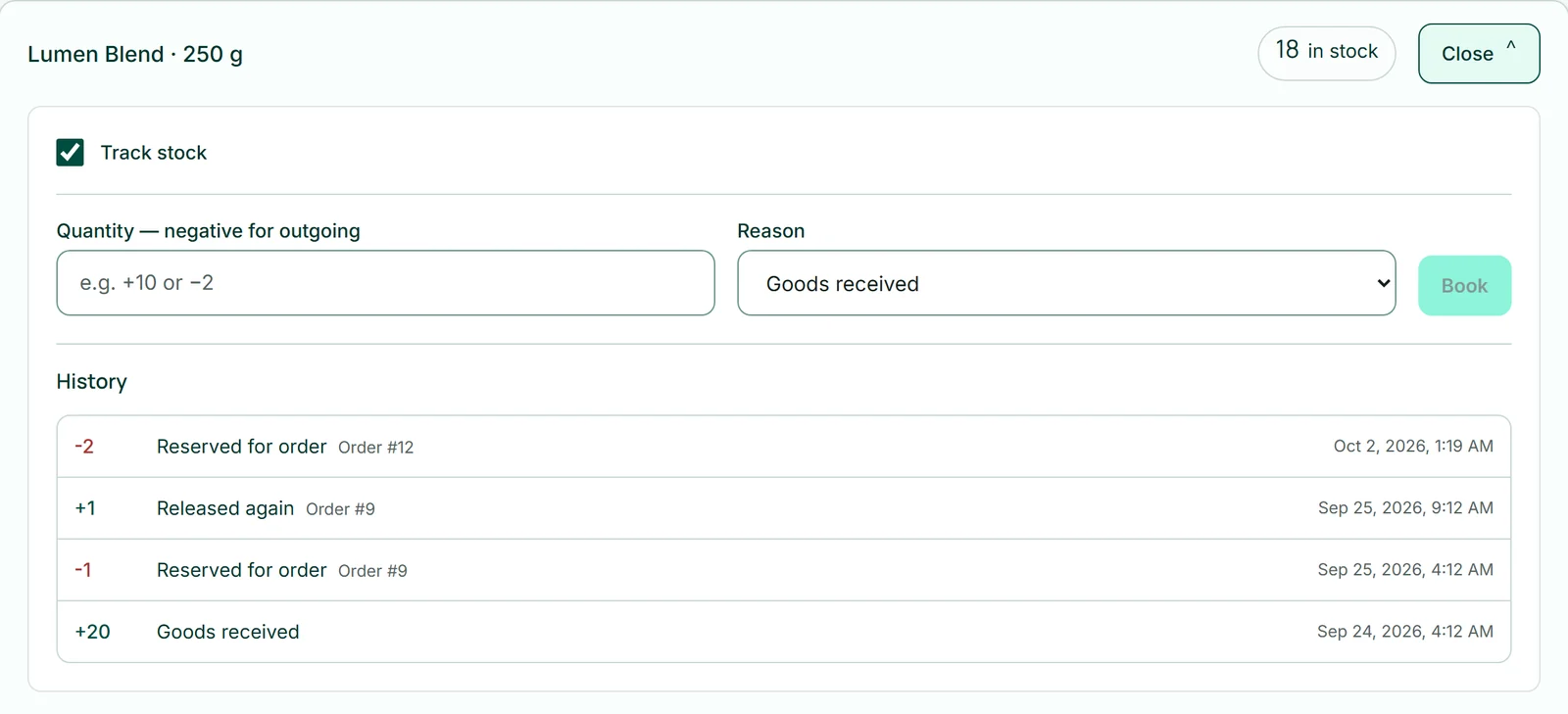
Here you don't set stock to a number, you book a movement: +20 as “Goods received”, −2 as “Adjustment”, +1 as “Return”. The level is the sum of all bookings, which keeps it traceable where goods went.
You cannot book below zero; the message then tells you that there isn't that much in stock.
- Open the variant with “Edit”.
- Enter the quantity under “Quantity — negative for outgoing”, for example 20.
- Choose the “Reason” and click “Book”.
A variant's history
Below each opened variant is its “History”: every movement with quantity, reason and time, newest first. Movements caused by orders appear as “Reserved for order” or “Released again”.
That answers the question of where three bags went, without guessing.
What happens to stock at purchase
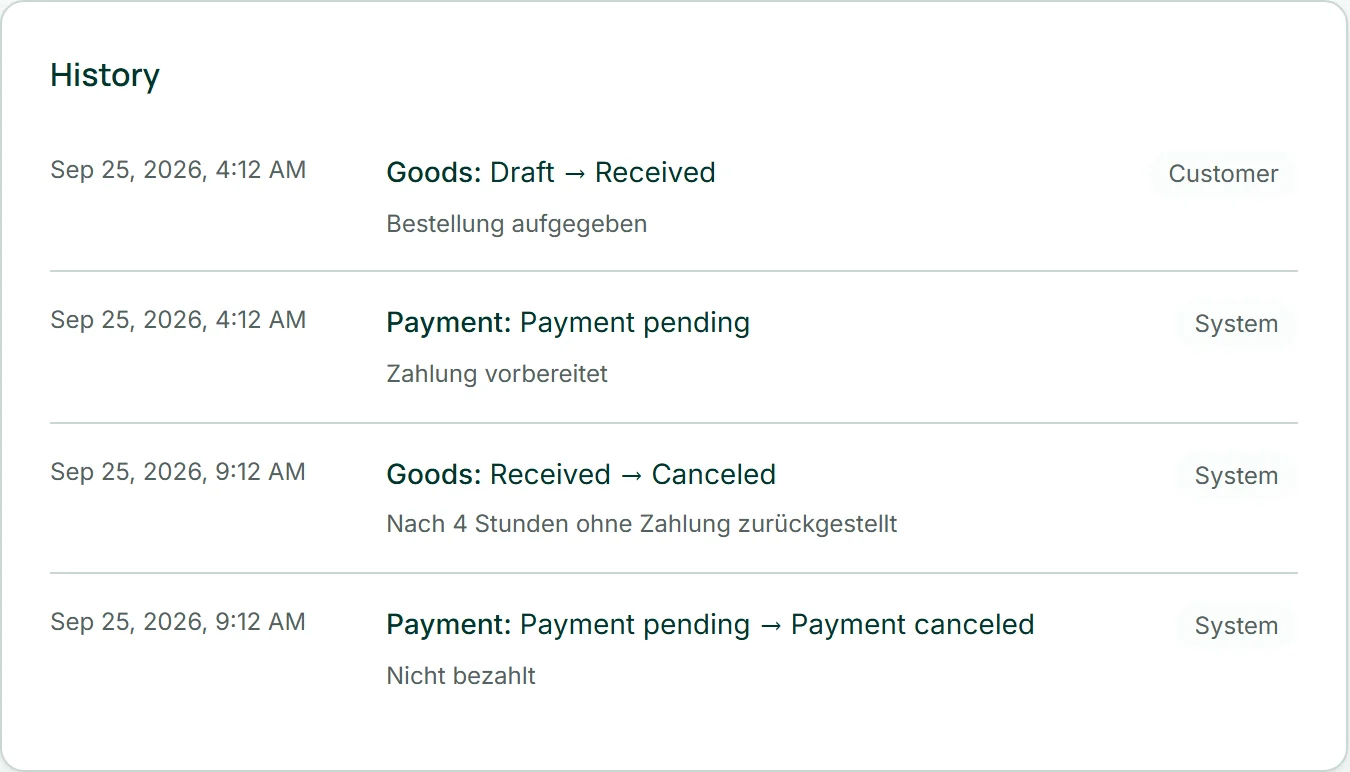
When a buyer clicks “Continue to payment” at checkout, the shop holds the goods for them — before payment, so two buyers cannot pay for the same last item. This reservation is also the outgoing movement: after payment nothing moves again.
If the payment fails or you cancel the order, the goods return to stock. If a buyer leaves without paying, the shop returns the goods after four hours — at the next purchase in your shop — and cancels the unpaid order.
Only variants whose stock you track are reserved.