
Your brand. On paper, too.
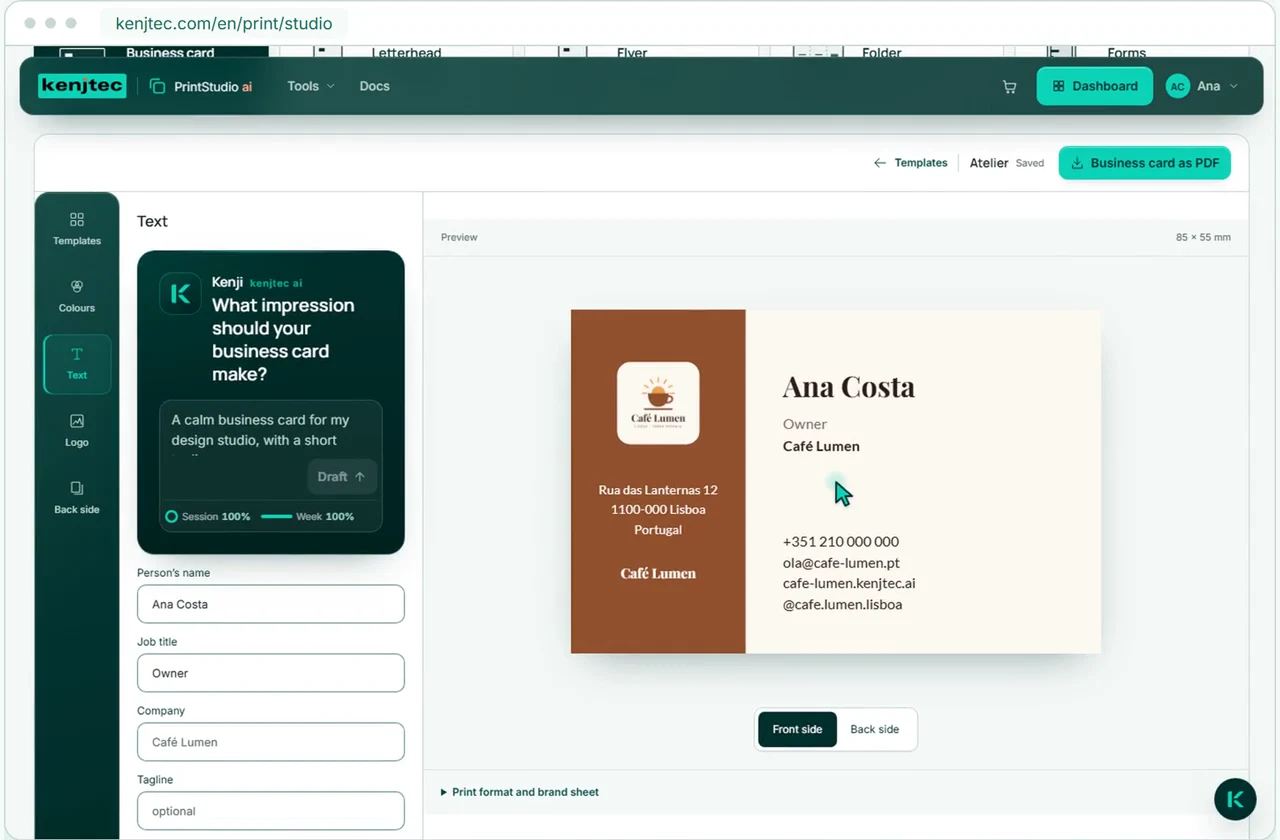
KENJTEC PrintStudio ai is an online tool for print materials – for self-employed people, cafés and small businesses worldwide. Your brand becomes business cards, letterheads, flyers and folded brochures, and your forms become paper forms and menus. Kenji, KENJTEC’s AI, suggests a template, colour scheme and text; you check the preview and download the PDF for your print shop.
Idea and hands-on demonstration
Your brand on paper — with a QR code linking to your website, form or shop.
- Printed materials in your brand style
- PDF for your print shop
- A QR code links to your online presence
Downloading the PDF
Read the film’s explanation
Your brand
Business cards, letterheads, flyers and folded brochures from your brand.
Your logo, colours and fonts are already set
PrintStudio uses your brand from BrandStudio. Choose a template, adjust the text and colour scheme, and check your printed material in the preview.
Set your logo, colours and company details in BrandStudio aiBusiness card
85 × 55 mm
Letterhead
A4
Flyer
A5
Folded brochure
A4 → DIN lang
FormBuilder ai
Paper forms and menus from your forms.
Your form. Online and on paper.
Choose a form from FormBuilder. PrintStudio turns it into a sheet to fill in by hand or a menu – as an A4 or A5 PDF with your branding.
Edit questions and fields with Kenji in FormBuilder. In PrintStudio, you choose how they appear on paper.
FormBuilder aiFrom your website and shop to your flyer.
Your website
Bring your website’s headline, subtitle and address into a flyer or folded brochure. A QR code leads to the published page.
WebSiteBuilder aiProducts
Import products with current prices from ShopBuilder. Keep editing the text; a QR code leads to your open shop.
ShopBuilder aiKenji
Write flyer and brochure text with AI.
Kenji writes. You approve the text.
Describe your flyer or folded brochure. Kenji suggests text, a template and a colour scheme. Review the preview and accept the draft. If you want, Kenji shortens text that is too long to fit.
Print materials for your use case.
- Café and restaurantA website from one sentence, and the menu by QR code at the table.
- Course, workshop and eventSign-ups with limited places, shared by link or QR code.
- FreelancersYour own website with enquiries by email, and a business card with a QR code.
- Starting a businessLogo, company details, website and business card from one account.
Frequently asked questions.
Who prints my files?
Download your PDF and print it yourself or send it to your print shop. KENJTEC does not offer printing and delivery.
Which formats are available?
Business card 85 × 55 mm, A4 letterhead, A5 flyer and a six-panel roll-fold brochure made from landscape A4, plus paper forms and menus in A4 or A5. Other business card sizes, US Letter, posters or stickers aren’t available.
Does imported content update automatically?
Content from your website, form or shop is copied into flyers and folded brochures. When it changes, import it again and download a new PDF. The separate form output uses your form’s current content when opened.
Can the paper form be filled in on screen?
No. The PDF is meant to be printed and filled in by hand; it isn’t a fillable PDF. Answers on paper don’t reach the online form by themselves. If the form is open, a QR code leads to the online version.
Can I design the layout freely?
Choose from fixed templates and adjust text, colour scheme, logo and reverse side. Moving elements freely or uploading your own layouts is not supported.
Do I need AI for this?
No. Choosing a template, editing text, the preview and the PDF all work without AI and without AI credit. On request, Kenji writes text for flyers and brochures and a short tagline for business cards and letterheads. Kenji doesn’t make up names, company or contact details; the AI comes with the plans.
What should my print shop know?
The PDFs use RGB colours and have no CMYK or PDF/X profile. Latin script is reliably supported; PDF output is not yet suitable for Arabic or Hindi. Check a proof print before ordering a larger run.
Your business. Your platform.
Your tools. One KENJTEC plan.
Website, brand, content and office belong to one platform. Choose the plan with room for your projects.
One account connects your tools. AI uses your shared AI credit.
Create your first print piece.
Your content is ready. Put it on paper.
Create printed materials using your brand, products and forms. Kenji helps you with the text.