The emails at a glance
Your shop writes by itself. After payment the confirmation goes to the buyer and a notification to you. When you ship, the shipping email goes out, and for pickup instead the email saying the goods are ready. If you cancel, the buyer receives the cancellation email; if you refund, the refund email with the amount.
No email goes out before payment — an abandoned order gets no confirmation. The emails are kept plain, in your shop's accent colour and without images.
The confirmation to your buyer
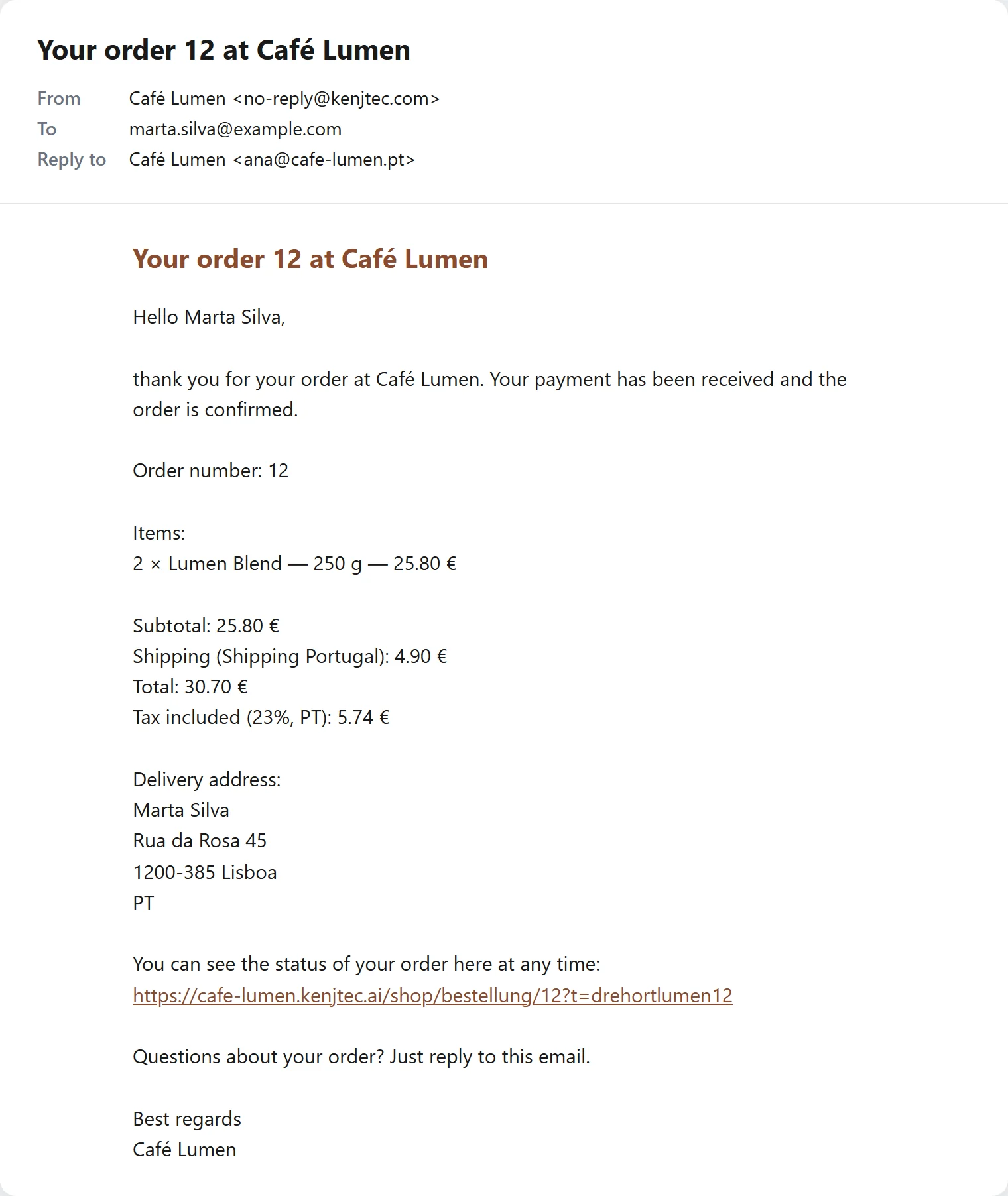
As soon as Stripe reports the payment, the buyer receives the confirmation: order number, items, subtotal, discount, shipping or pickup, tax, total, delivery address or pickup place and their note. Below it is the private link where they can see their order's status at any time.
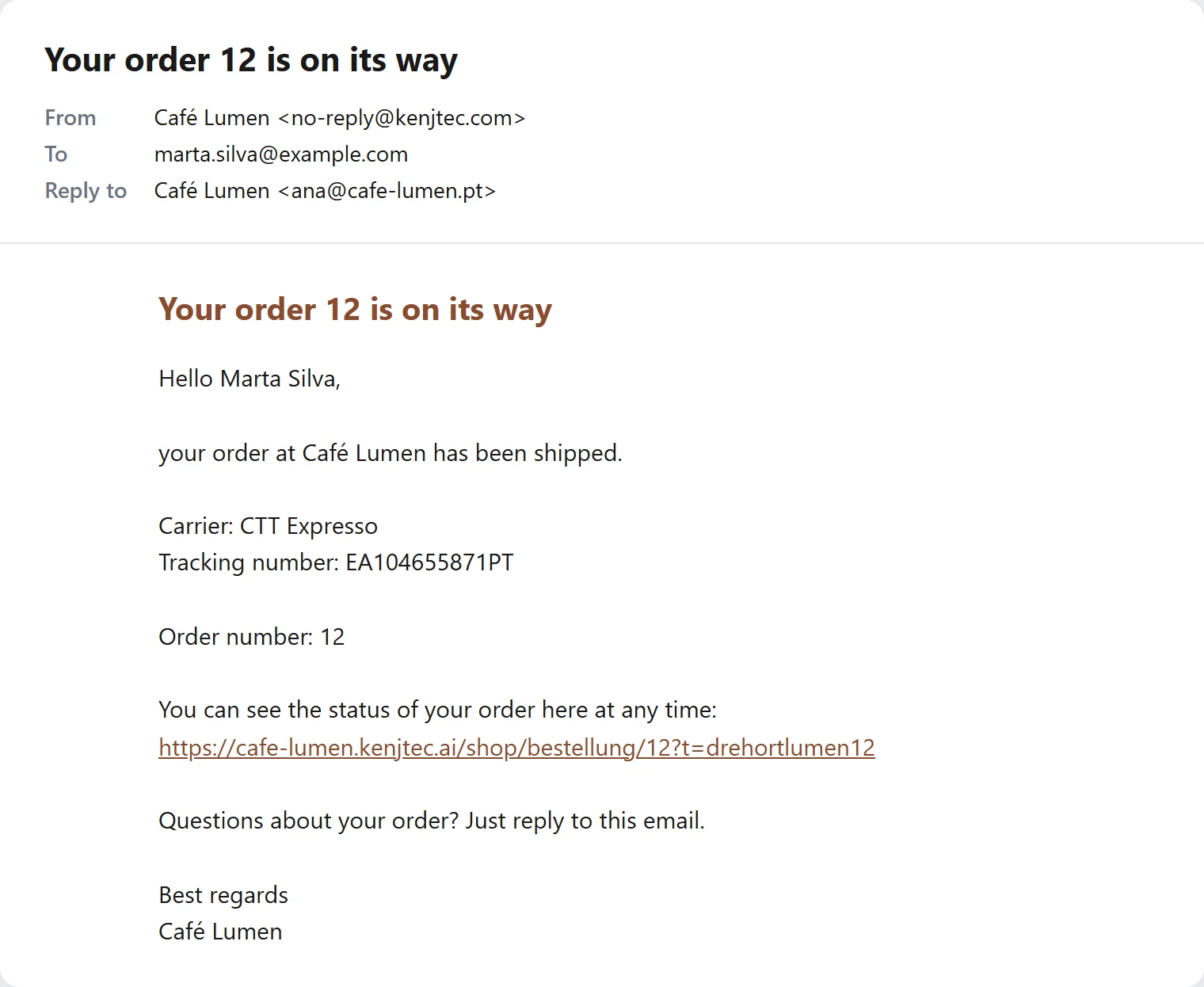
The shipping email names the carrier, the tracking number and the tracking link, if you entered them.
The notification to you
For every paid order you receive a message with customer, items and total and a link that opens the orders in your workbench. It comes in your account's language.
Where it goes is set under “Settings” → “Notifications”: “Address for order notifications”. If empty, the message goes to your account's address.
- Open “Settings” → “Notifications”.
- Enter the “Address for order notifications”.
- Click “Save”.
Sender, replies, language
Your buyers see your shop's name as the sender. If a buyer replies to an email, the reply reaches you — at the “Address for order notifications”, otherwise at your account's address — not KENJTEC.
Every email to the buyer comes in the language in which they shopped.
When an email does not go out
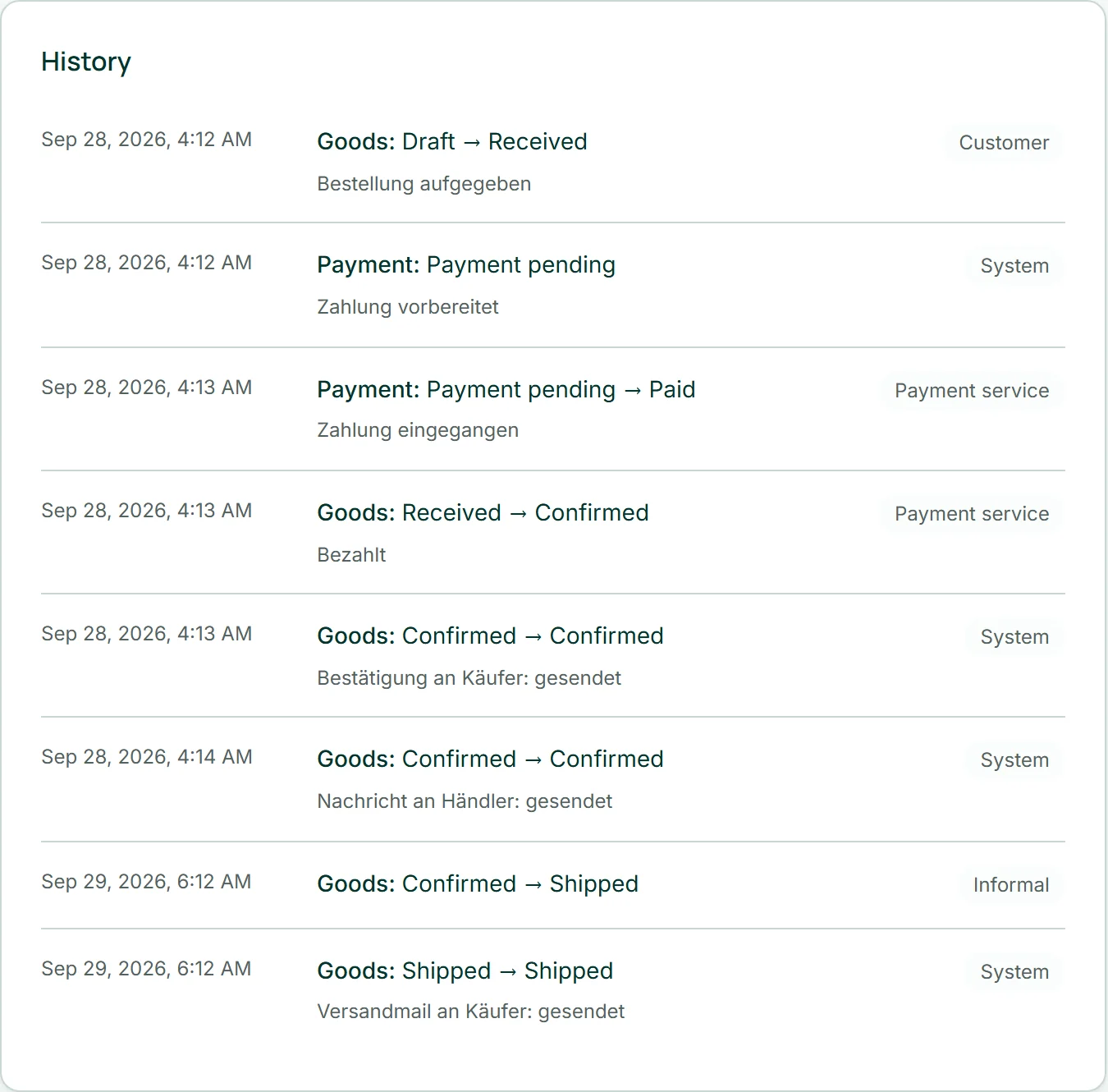
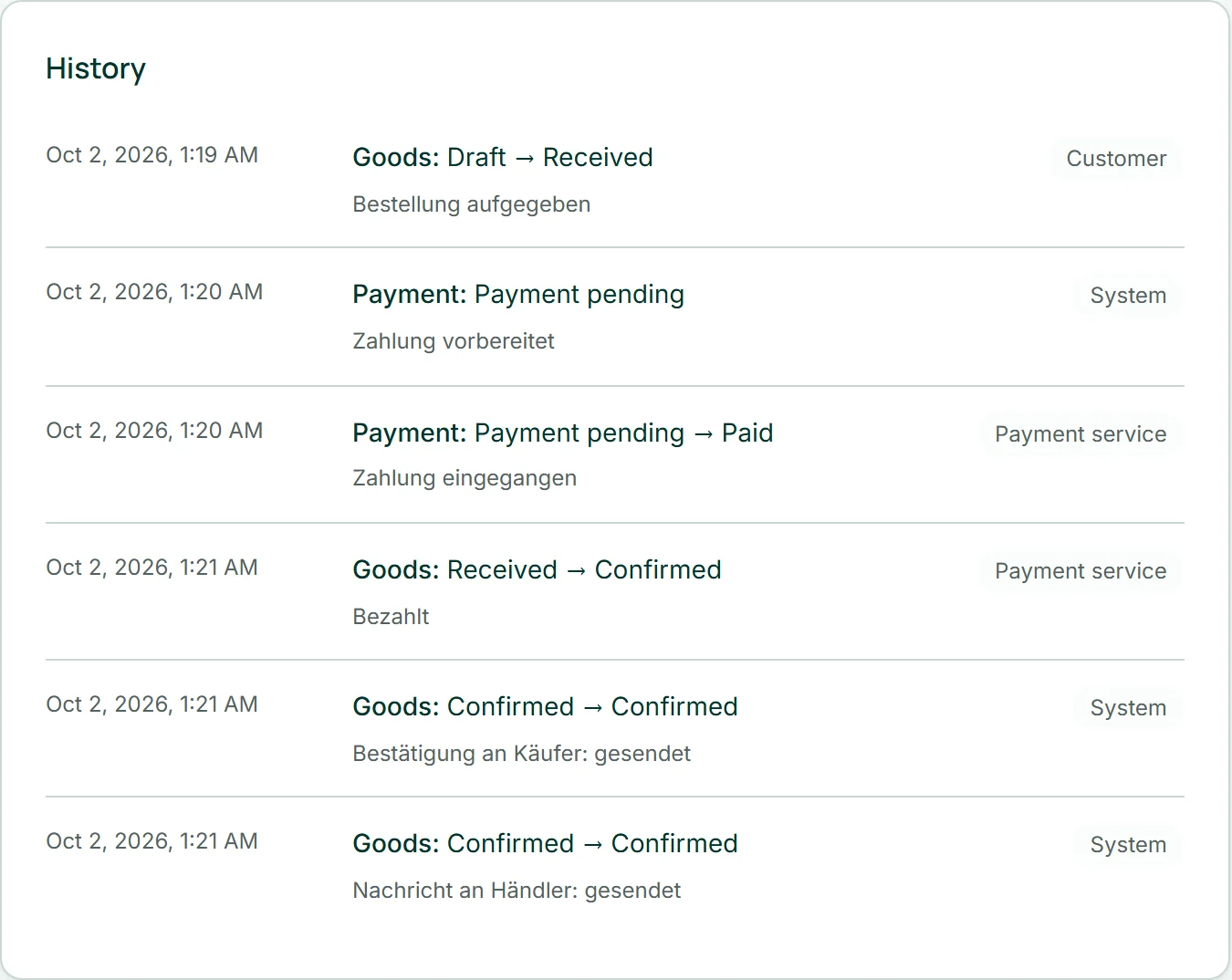
Whether an email went out is noted in the order's history — sent or not sent, then with the reason. An email that does not go out changes nothing about the order: it stays paid, shipped or cancelled.
You skip the shipping email when moving to “Shipped” by unticking “Notify the buyer”. The other emails go out as soon as their occasion arises.