
The key figures
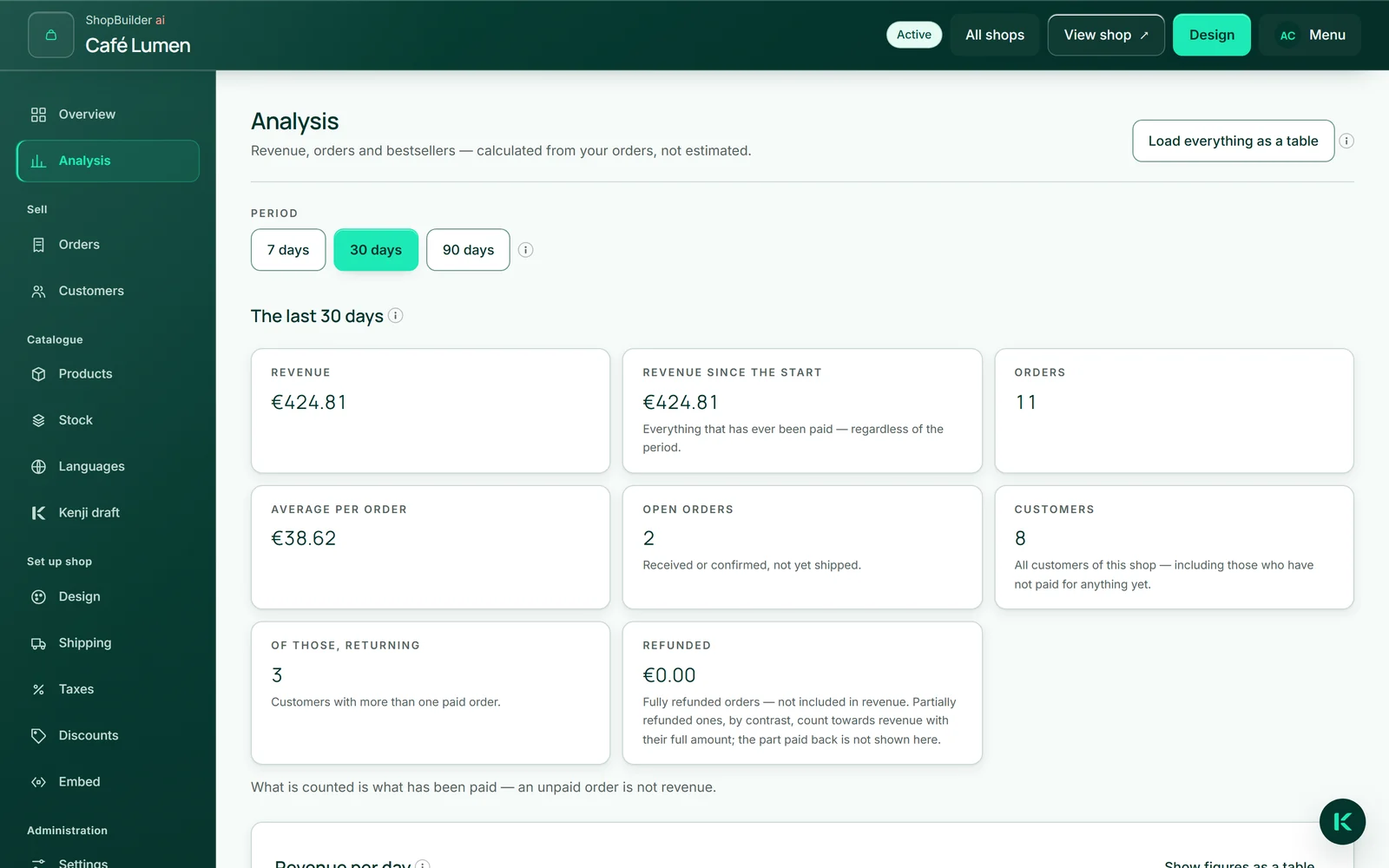
Under “Analysis” you choose the “Period”: 7, 30 or 90 days. You then see “Revenue”, “Revenue since the start”, “Orders”, “Average per order”, “Open orders”, “Customers”, “Of those, returning” and “Refunded”.
What counts is what has been paid — an unpaid order is not revenue. Whatever you have refunded is deducted from revenue and shown under “Refunded”. Open orders know no period: they are your work list, even when they are weeks old. “Customers” counts all customers of the shop, including those who have not paid for anything yet.
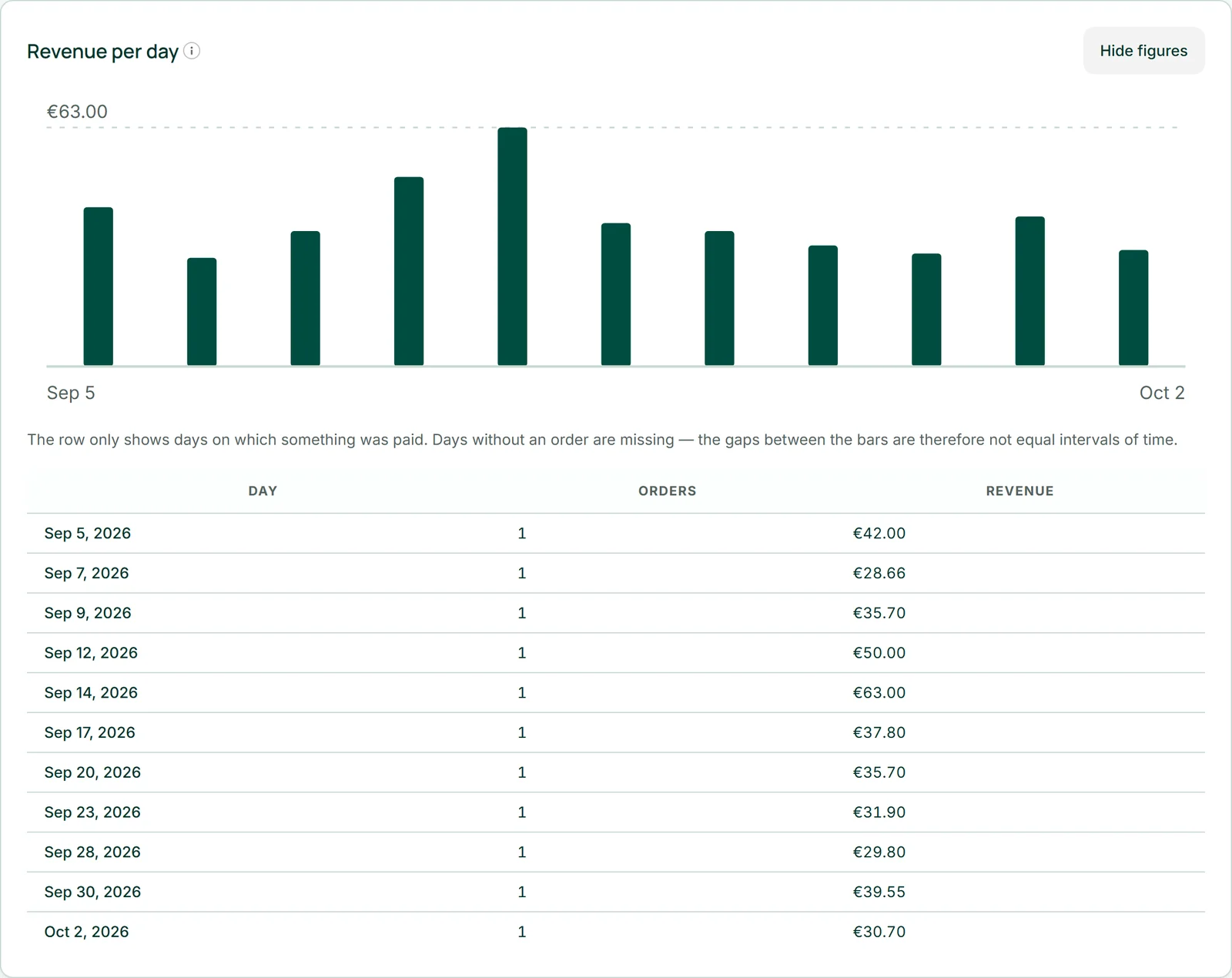
Revenue per day
The chart “Revenue per day” shows one bar for each day on which something was paid. Days without an order are missing — the gaps between the bars are therefore not equal intervals of time.
“Show figures as a table” adds the same figures as a table below: day, orders, revenue. Screen readers get the chart summarised in a sentence.
Best-selling items
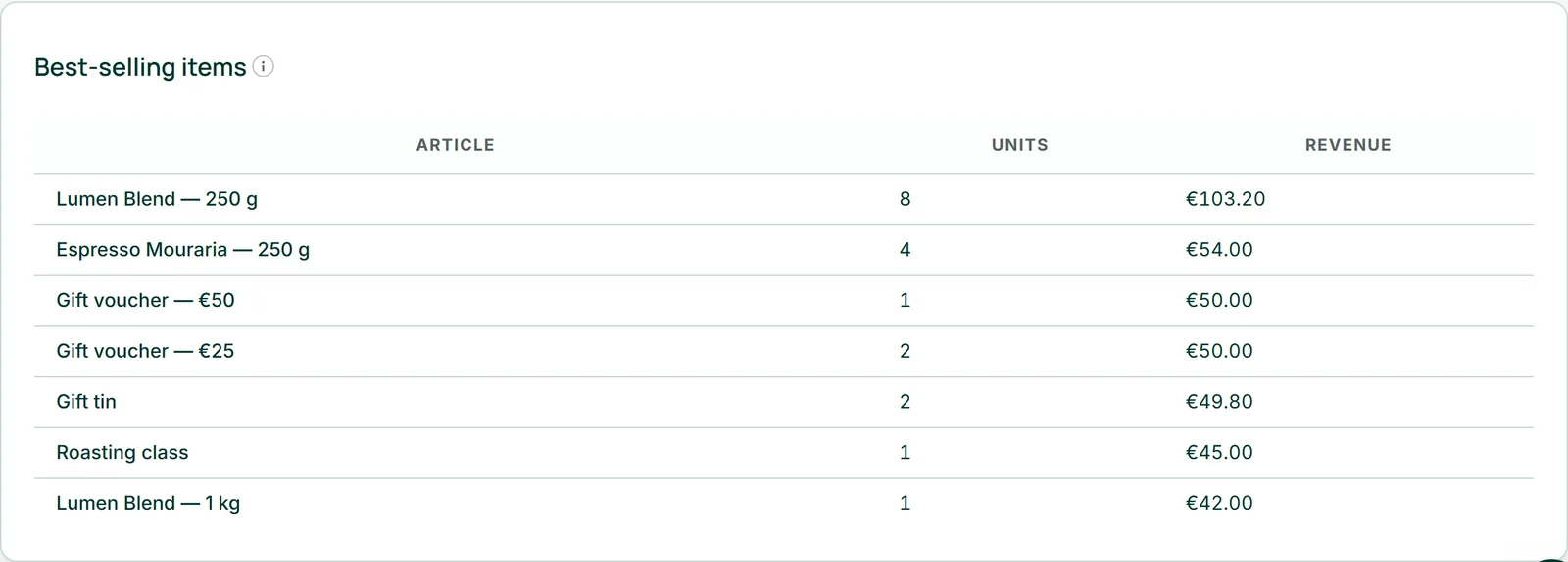
The table “Best-selling items” lists the ten items with the highest revenue in the period, with units sold — under the name they were sold under.
Their revenue is item price times quantity; shipping and discount are not in it. The column therefore does not add up to the revenue above.
Loading everything as a table
“Load everything as a table” downloads an Excel workbook with four sheets: orders, line items, products and customers. It contains all orders, unpaid ones included; amounts are written in the style of the order's currency. Sheet and column names are in German.
The workbook is your copy for bookkeeping, your tax adviser or a move — without asking and without AI credit.
- Open “Analysis”.
- Click “Load everything as a table”.