
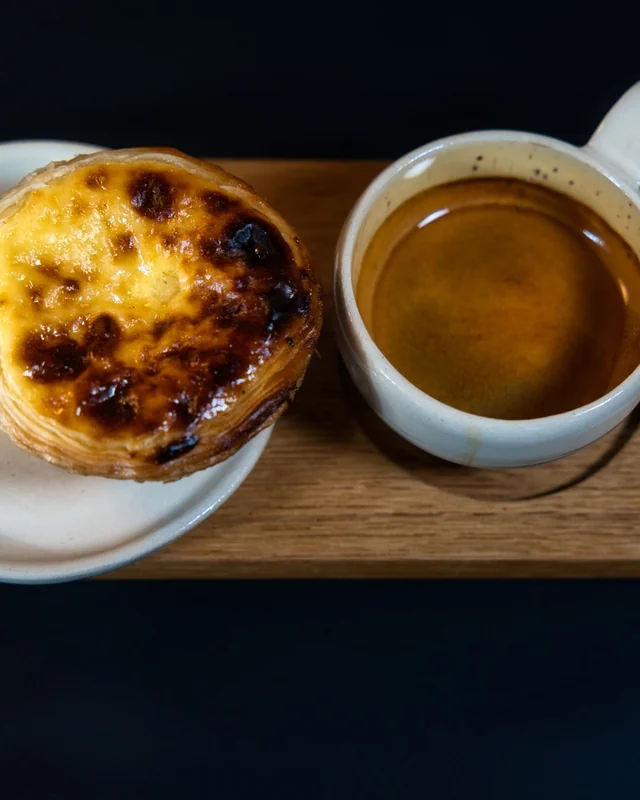
cafe.lisboa Sunday is for breakfast.
KENJTEC SocialStudio ai is the social media workspace – for self-employed people, cafés, clubs and agencies worldwide. You write a post once, and Kenji, KENJTEC’s AI, turns it into separate versions for twelve networks. A phone preview shows you in advance how they come across. You do the posting yourself: SocialStudio connects to none of your accounts.
Idea and hands-on demonstration
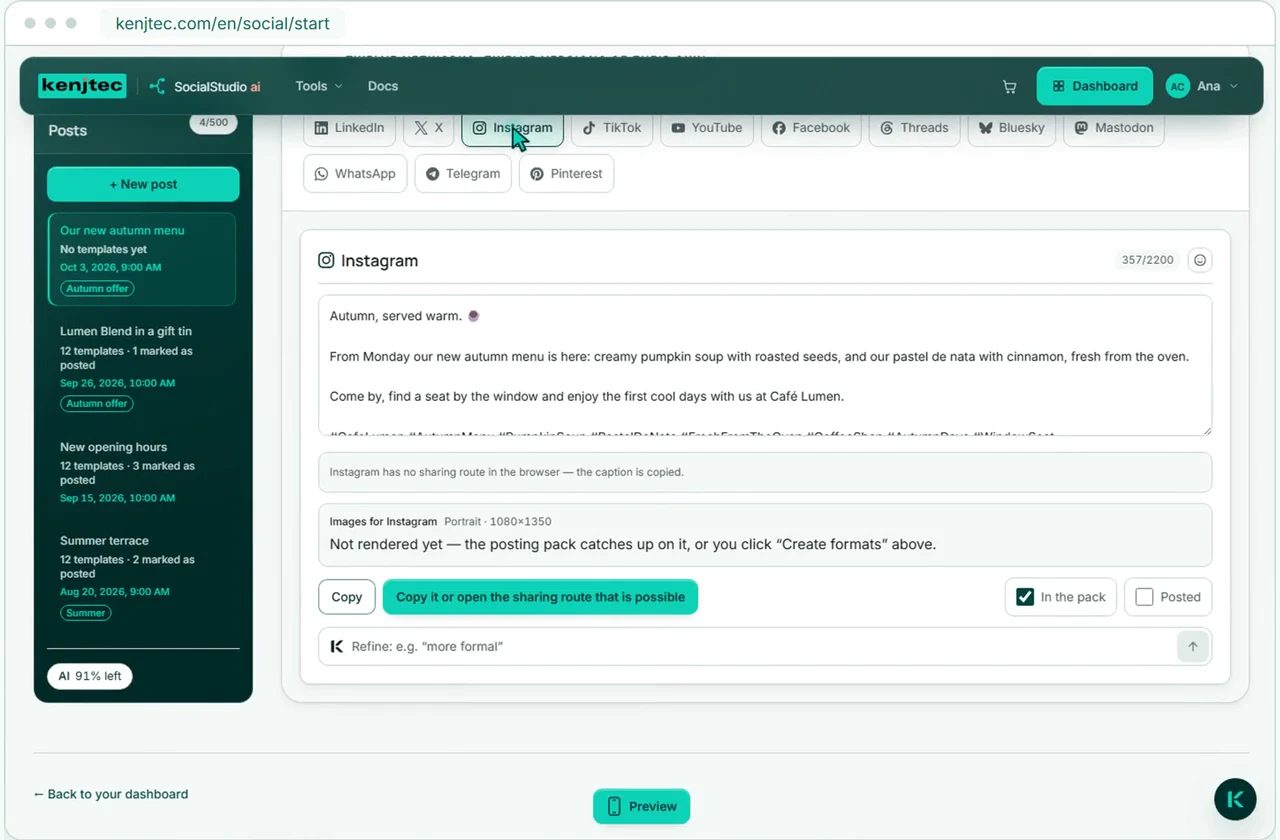
One text, versions for twelve networks
Your brand from BrandStudio, your images from MediaStudio, twelve versions from Kenji. Review the post in the preview and publish it yourself.
No account access. No automatic posting. No post goes out by accident.
Write once, one version per network
You write once — Kenji turns it into a separate version for each of twelve networks, and a phone preview shows you how it looks. You do the posting yourself.
Title, text and up to ten images remain your internal draft.
The AI writes a separate version for each network — professional for LinkedIn, concise for X, image-led for Instagram. All of them are created in one step.
Check the text and images. Download your posting pack or save it directly to your BusinessCloud. On your phone, take the files from there to your social network.
See it before everyone else does
Your post is more than a text field
The preview shows image size, handle, text flow and typical truncation points. For Reels, your finished portrait video plays directly in the phone frame.
See the 4:5 crop, carousel dots, caption and the “more” break.
The generated 9:16 video plays in the preview — with your handle for each channel.
Your client reviews the post through a link, comments and gives feedback – without their own account. Their response appears right on the post. Approval links are included in paid subscriptions.
Preview — recreation: networks change their own interfaces. The view in the network itself is always definitive.
Your channels in one place
Your channels belong in SocialStudio
Store the network, handle and public profile address directly in SocialStudio. It is saved centrally with your brand; website, shop and forms use the same channels in their footers.
With or without AI
You decide where Kenji saves you time
Writing, bringing images to network sizes and making a Reel all work entirely without AI. Kenji is a shortcut — for the draft, the twelve network versions, refining and the Reel lines.
By hand
With AI
What Kenji takes on counts against your AI bar. Your own edits afterwards use no AI credit.
No. You copy your version, download the posting pack or open the network’s share window — the posting is done by you. SocialStudio connects to none of your accounts, and nothing goes online by accident.
Not for everything. Writing and editing posts, choosing images and bringing them to network sizes, entering Reel lines yourself and creating the Reel cost no AI credit. The twelve network versions come from the AI step “Tailor” — and only with them do you get the posting pack as a ZIP.
No. In SocialStudio you only save the network, handle and public profile address. These details appear in previews and footers but give KENJTEC no permission to post.
The preview recreates the layout, image size, handle, text and typical truncation points. Networks change their own interfaces, however — the view in the network itself is always definitive.
Kenji’s drafts, network-specific versions, refinements and Reel text count against your AI bar. The same bar covers all tools and refills by itself. Manual edits, image formatting and rendering Reels do not use AI credit.
Yes. You pick up to ten images from MediaStudio, put them in order and set the first one as the cover image.
To your own address, not ours: to your connected domain, otherwise to your first published website under your KENJTEC address. If there is no website, the versions go without a link — the AI never makes up an address.
It has a firm instruction to add nothing: no prices, opening hours, addresses or offers that aren’t in your post. It writes in the language of your post — still, read every version before you use it.
No. SocialStudio does not measure reach, followers or reactions — it doesn’t see what happens after you post.
A sequence of your images with lines of text, in 9:16 portrait format and with a silent audio track. There is no music, no voice and no video editing, and the AI does not generate video.
Your business. Your platform.
Website, brand, content and office belong to one platform. Choose the plan with room for your projects.
One account connects your tools. AI uses your shared AI credit.
Write once. See it first. Decide for yourself
Your first post stays internal until you have checked it and publish it yourself.
Create an account, add a card — nothing is charged.
Google Analytics helps us improve the website. Google receives usage and device data; this may be processed in the USA.
Optional. Your choice lasts 180 days and can be changed at any time in the cookie settings.
Privacy policy