
Tailor for all networks
“Tailor for all networks” has Kenji write one version per network from your post: LinkedIn, X, Instagram, TikTok, YouTube, Facebook, Threads, Bluesky, Mastodon, WhatsApp, Telegram and Pinterest. The versions aren’t shortened but rewritten for each network’s habits — professional for LinkedIn, pointed for X, a caption with a block of hashtags for Instagram, the text to go with the video for TikTok, the title of the Short for YouTube, personal for WhatsApp, a pin description with search terms for Pinterest.
Kenji writes in the language of your post and adds nothing that isn’t in it: no prices, no opening hours, no addresses. If your account has exactly one brand, every version speaks in its name; if it has several, in the name of the brand you chose under “Which brand?”.
All twelve are written in one run, which uses AI credit once. Then “Your templates” opens with one tab per network. If you tailor again later, the new versions replace the old ones; the “Posted” mark stays.
- Write the title and text in the “My post” area.
- Click “Tailor for all networks”. While Kenji is working, the button says so.
- In “Your templates”, choose the network at the top whose version you want to read.
If a version doesn’t stay within its network’s fixed limit, it isn’t cut off but left out. That tab is then missing; tailoring again brings it back.
TikTok and YouTube
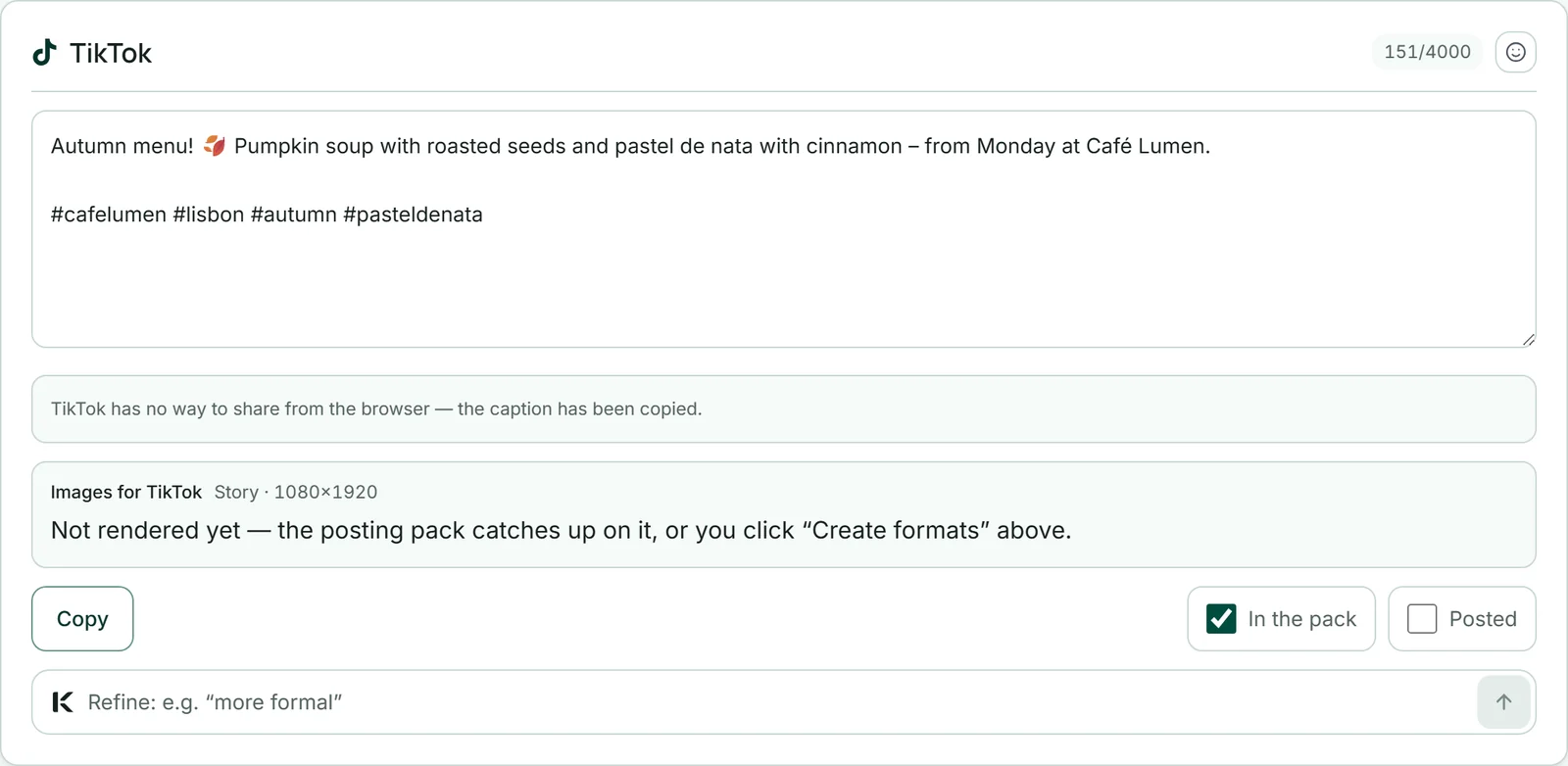
On TikTok and YouTube you post a video — your reel. So the version is the text that goes with it. For TikTok that is the caption: TikTok accepts up to 4,000 characters, but only the first 100 or so appear before “more”. Kenji writes them so they stand on their own, with three to five hashtags at the end.
For YouTube, Kenji writes the title of your Short: at most 100 characters, with the first 50 or so carrying the message. SocialStudio doesn’t write a description — the Shorts player shows the title. Kenji adds no link to either.
TikTok and YouTube have no sharing route in the browser. The card says so, and “Copy” takes the caption or the title. If there is a Reel and your device can share files — usually a phone —, “Share directly” appears next to it: it copies the text and hands the Reel to the share menu, and from there to the app. Otherwise you download the video under Reel — your short video. In the posting pack, TikTok gets a folder with the text and your images in the Story size — TikTok takes photos too — and YouTube a folder with just the title.
Character limits and the counter
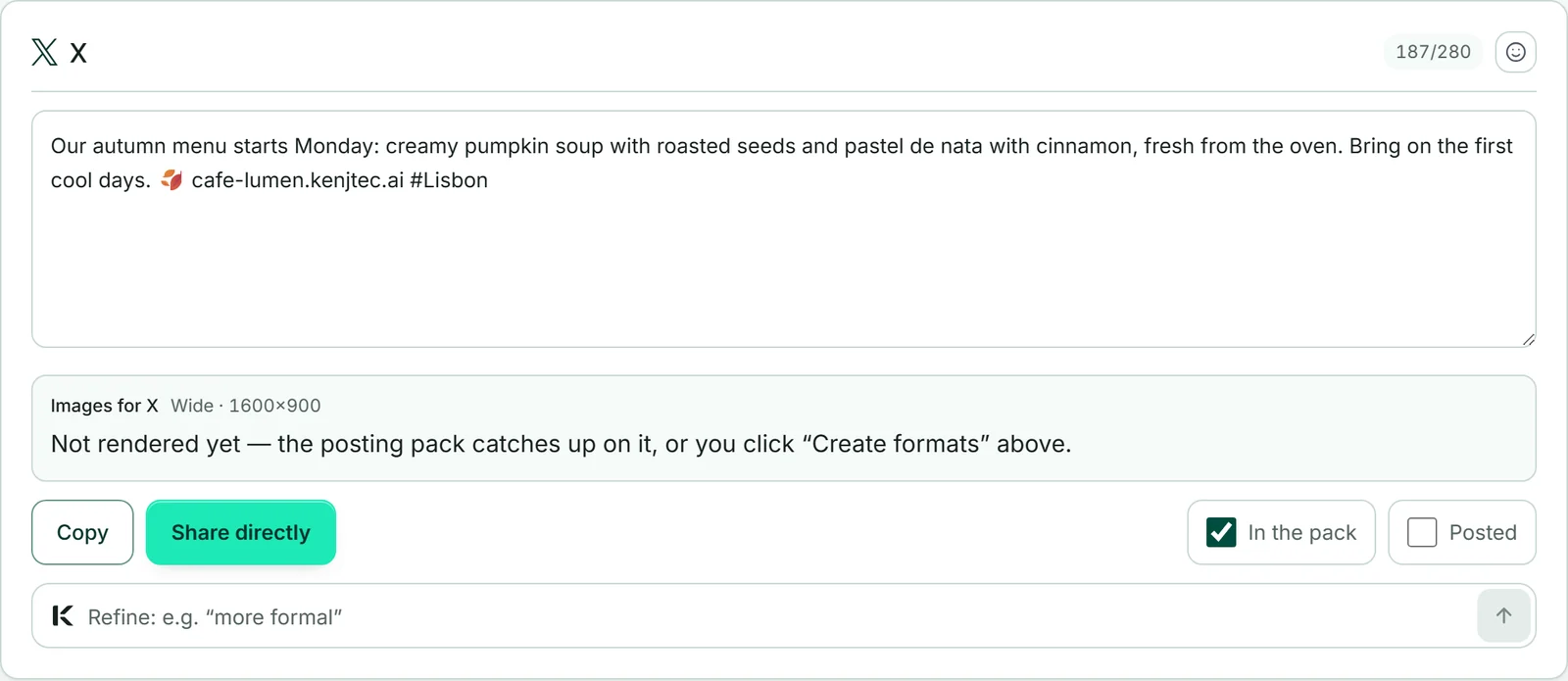
At the top right of each version, a counter counts the characters against the network’s limit. For LinkedIn (3,000), X (280), Instagram (2,200), TikTok (4,000), YouTube (100), Threads (500), Bluesky (300), Mastodon (500) and Pinterest (500) the limit is fixed: the network cuts the text off or won’t accept it. On Mastodon, 500 is the usual value; some servers allow more.
For Facebook (500), WhatsApp (700) and Telegram (900) it is a recommendation — technically more is possible, but short texts are more likely to be read. The counter shows this with a tilde, such as “412/500 ~”. Hover over it and it says “The network's hard limit” or “Recommended writing limit”.
If a text is too long, the counter turns red. A version above a fixed limit can’t be saved.
Changing a version by hand
Each version sits in a text field you can write in directly. As soon as the text differs from the saved one, “Save change” appears below it. Changing by hand costs no AI credit.
The preview shows your change immediately, even before you save it, and “Copy” takes whatever is in the field right now.
Each version has its own “Insert emoji” button next to the counter — what suits Instagram isn’t what everyone wants to read on LinkedIn.
- Open “Your templates” and choose the network at the top.
- Change the text in the field.
- Click “Save change”.
If the text is over the network’s fixed limit, “Save change” stays disabled until it fits.
Refining a version
If a version is nearly right, tell Kenji what should be different: “more formal”, “shorter”, “with a question at the end”. Only this one version is rewritten; the others stay as they are. Kenji still knows the network’s limit and rules, and the counter shows you whether it fits.
Refining uses AI credit. It starts from the saved version — so save a manual change first with “Save change”.
- In “Your templates”, open the network’s version.
- In the field at the bottom of the card, write what should be different, for example “shorter and with a question at the end”.
- Click the arrow next to it. The new version replaces the old one.
When the post is newer than the version
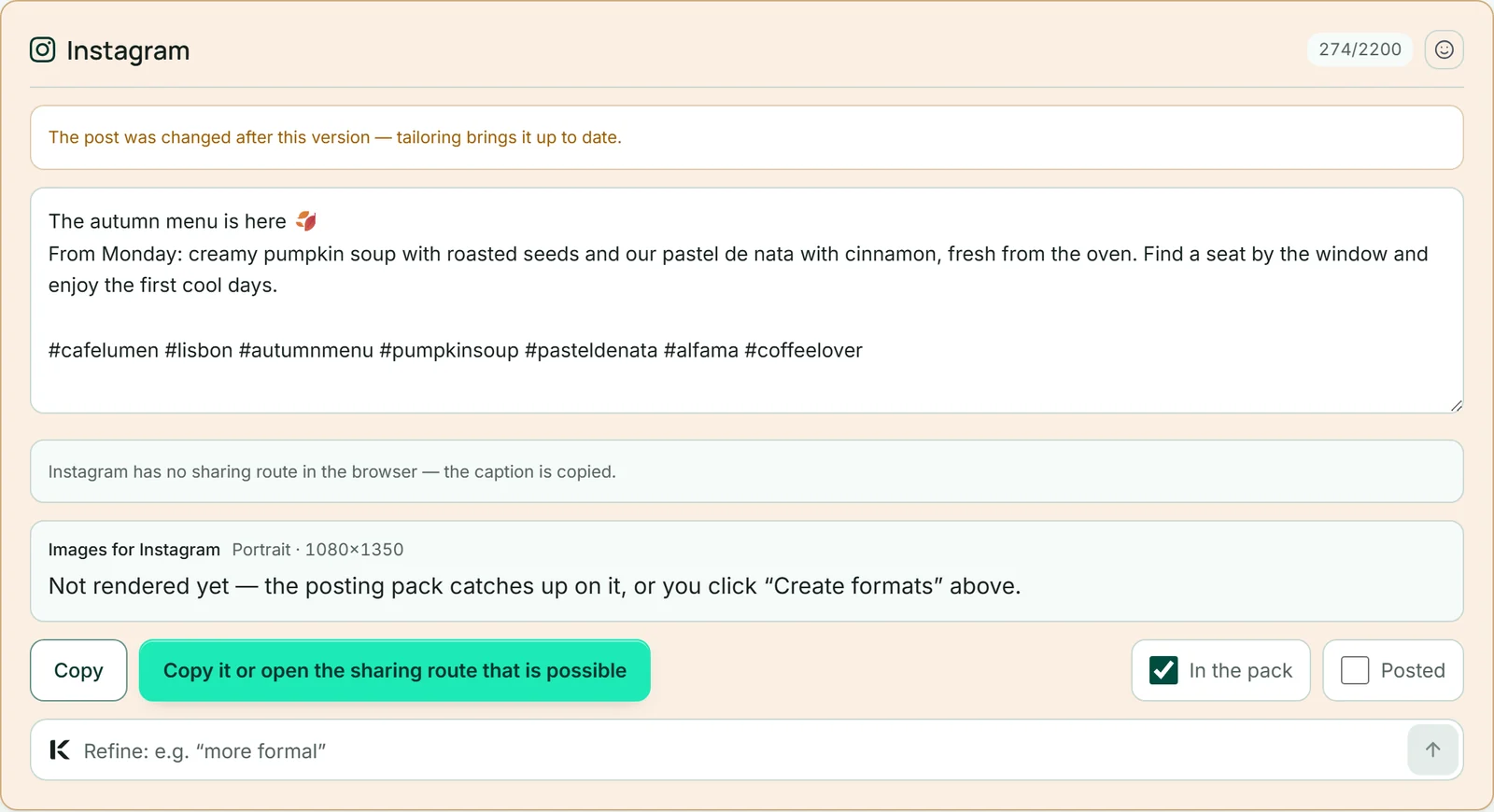
If you change the post after the versions were written, the versions know nothing about it. So SocialStudio compares the times: if the post is newer than a version, its card changes colour and says “The post was changed after this version — tailoring brings it up to date.” This also applies when you choose a different brand; a date or a campaign, on the other hand, doesn’t count as a change.
Check such a version before you copy it. Either adjust it by hand or click “Tailor for all networks” again in the “My post” area — that uses AI credit again and replaces all versions.
Which link goes into the versions
Where a link belongs — on X, LinkedIn, Facebook, Telegram, WhatsApp and Pinterest — Kenji inserts your business’s address. Never on Instagram, TikTok or YouTube: on Instagram and TikTok links in the text aren’t clickable, and on YouTube the version is the title of your Short.
SocialStudio picks the address in this order: first your own domain, as soon as it is active with us; otherwise the address of your first published website under your kenjtec.ai address. If there is neither, all versions do without a link. An address is never made up.
The share buttons for Facebook, LinkedIn, Telegram and Pinterest use the same address. How to put your own domain in front of your website is explained in DomainStudio.

A published post usually can’t be taken back. So connect your own domain before you tailor — otherwise the versions point to your kenjtec.ai address.