
Finding a matching domain
Under “Use your brand”, BrandStudio suggests a search term from your brand name — “Café Lumen” becomes “cafe-lumen”. “To the domain search” opens DomainStudio with this term in the search field; the search there shows live from the registry which endings are available and what they cost.
If no domain name can be formed from the name — for instance because it consists only of non-Latin characters — the card says so, and you pick one yourself in DomainStudio. Nothing is booked here, and it costs nothing. How the search continues is explained under Search for a domain.
Starting a website with your brand
“Build website” opens WebSiteBuilder: your brand’s name is already in the sentence field, as in “Café Lumen — ”, and you finish the sentence. The new website belongs to that brand straight away. Only generating the website there uses AI credit; nothing happens in the background in BrandStudio.
If you prefer WordPress, “To WordPressBuilder” on the “Prefer WordPress?” card takes you there. If you choose “With my brand” when creating a site, it carries your brand from the start; if you have several, WordPressBuilder asks which one when you set it up.
How a website grows from the sentence is explained under A website from one sentence.
Trademark protection: what matters
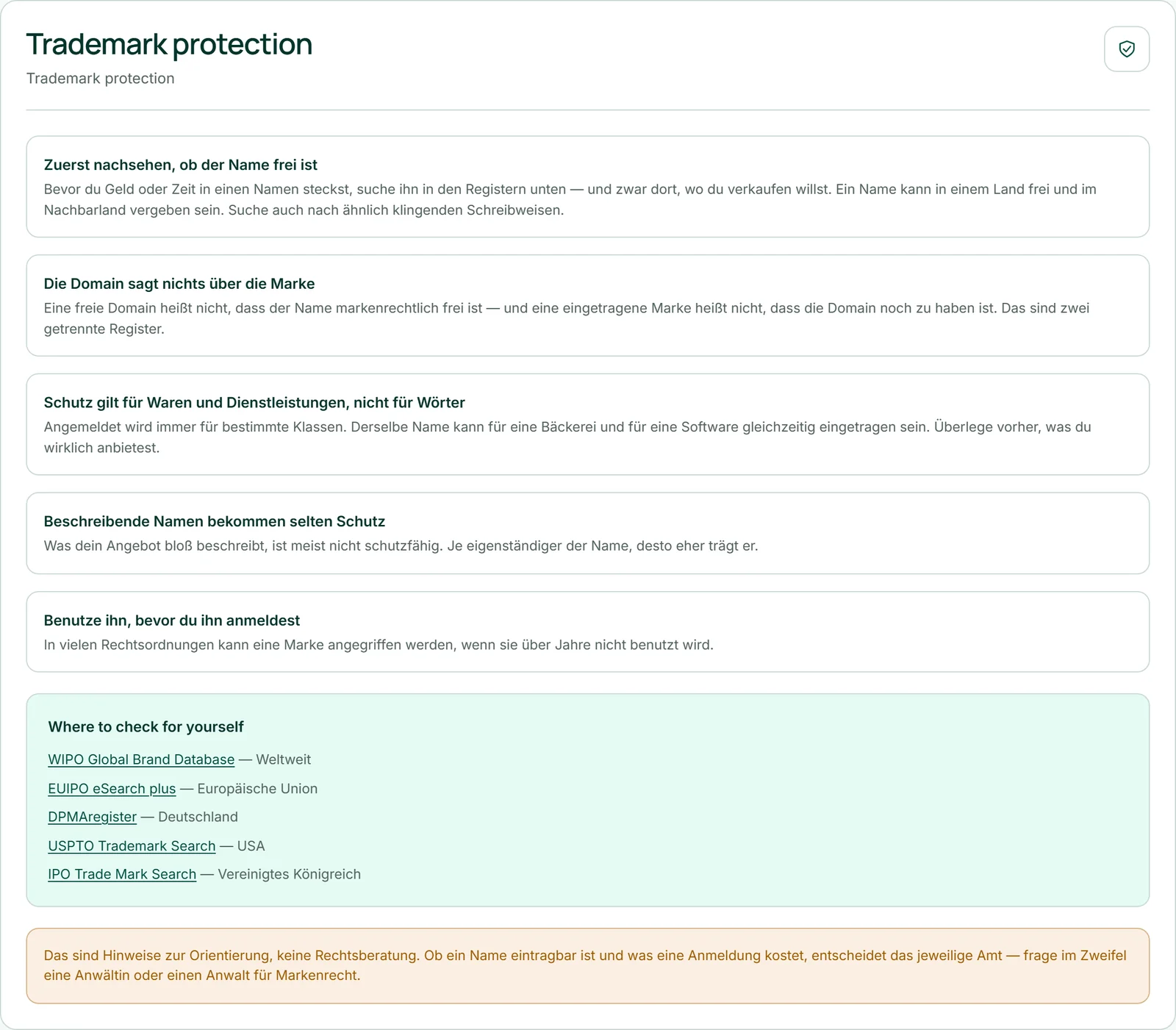
“Trademark protection” gives five pointers for the time before you commit to a name. First check whether the name is still available — where you want to sell, and for similar-sounding spellings too. A free domain says nothing about the trademark. Protection applies to specific goods and services, not to words as such. Descriptive names rarely get protection. And in many countries a trademark that goes unused for years can be challenged.
These are pointers for orientation, not legal advice. Whether a name can be registered and what an application costs is decided by the relevant office; if in doubt, ask a trademark lawyer. We don’t check or assess your name.
Checking the registers yourself
The “Where to check for yourself” box links five official registers you can search yourself: WIPO Global Brand Database (worldwide), EUIPO eSearch plus (European Union), DPMAregister (Germany), USPTO Trademark Search (USA) and IPO Trade Mark Search (United Kingdom). Each link opens in a new tab.
Search there for your name and for similar spellings — in every country where you want to sell.

- Open “Trademark protection”.
- In the “Where to check for yourself” box, click the register for your country.
- Search for your name in the new tab.