
Setting up a series
In the “Recurring” (recurring) tab, “+ New series” (new series) sets out what is billed regularly: “Label (only for you)” (label, just for you), “Customer”, “Frequency” (interval) — weekly, monthly, quarterly, half-yearly or yearly —, “Next document on” (next document on) and, if the series should end, “Runs until (optional)” (runs until).
Then comes what goes on the document: “What is being billed” (what is billed), “Amount per document” (amount per document) — the price before tax — and the tax rate. A series carries one item; currency and language come from your settings and the customer. The list shows the amount including tax.
If the day does not exist in a month — the 31st in February, say — the date moves to the last day of that month and stays there afterwards.
- Open “Recurring” and click “+ New series”.
- Fill in label, customer, interval, “Next document on”, “What is being billed” and “Amount per document”.
- Click “Save” (save).
When a series is due
Once the date under “Next document on” is reached, the series shows as “due” (due) in the list, and the overview mentions it with “Take a look”. “create now” (create now) creates the invoice draft; the series’ date moves on by one interval so that no period is billed twice.
You can press the button earlier too — for the invoice that should go out a week sooner. The draft then waits under “Documents”.
- Click “create now” on the series.
- Open “Documents” — the new draft is there.
During the night into the due day, Invoice creates the draft by itself, and the series moves on to its next date. If “Issue the document immediately (rather than just creating a draft)” (issue straight away) is on for the series, Invoice issues it at the same time; with “And send it to the customer” (and send to the customer) it also goes to your customer by email — sending requires a subscription. Both switches are off until you turn them on.
What the draft contains
The draft from a series is an ordinary invoice, still without a number. Its date and date of supply are the series date; “Payable by” follows the customer’s payment terms or your settings. Item, amount and tax rate come from the series, the tax note from your settings.
You check it, change it with “Edit” if needed, issue it and send it — like any other document. An invoice that goes out unseen will one day reach a customer who cancelled long ago; that is why this step stays with you.
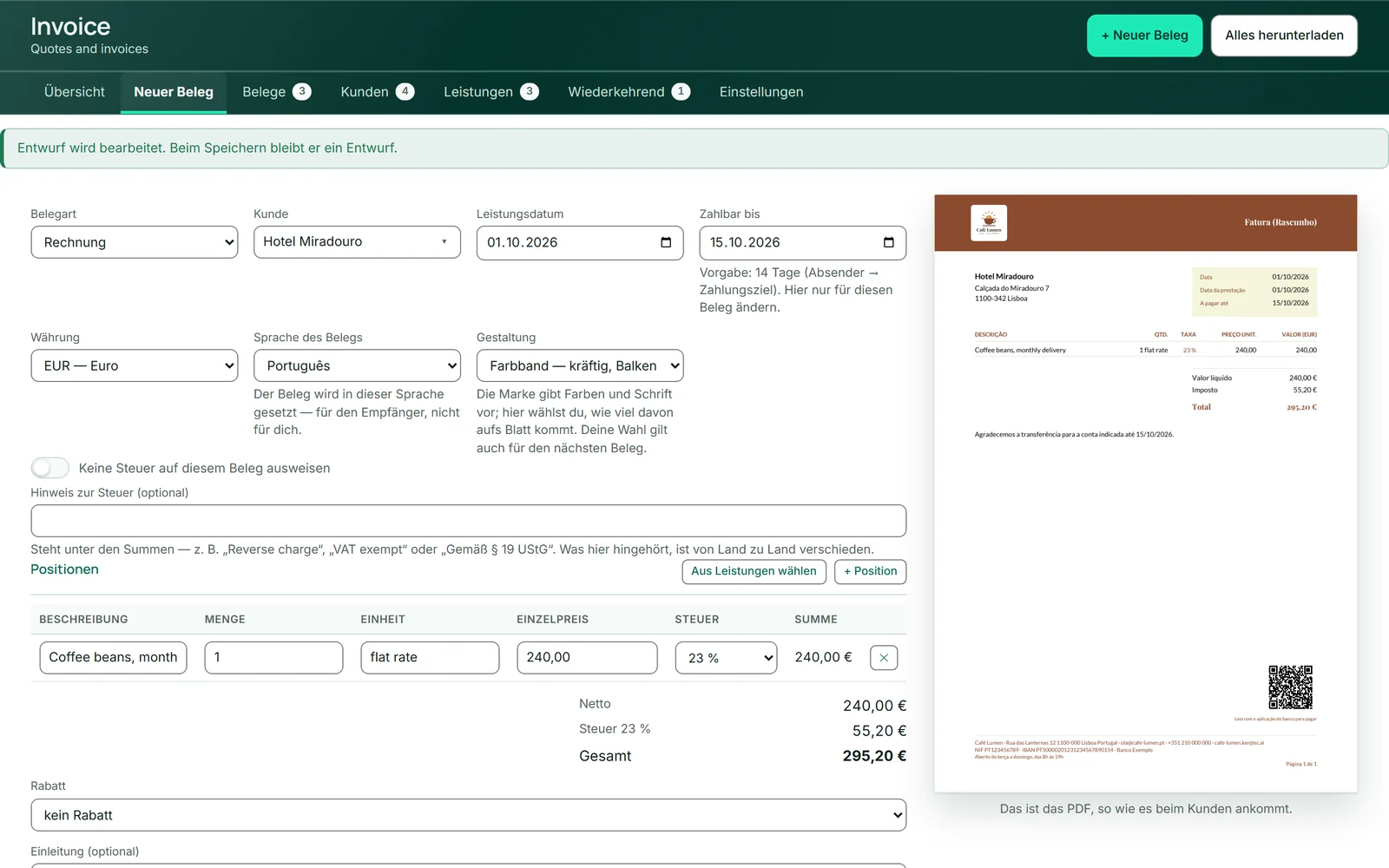
- In “Documents”, open the draft with “Edit” and check it.
- Click “Save and issue”.
- Send it with “Send”.
Changing, pausing and ending a series
“bearbeiten” opens the series in the same window. Switching off “Series active” (series running) pauses it without deleting it — the list then shows “paused” (paused), and it no longer becomes due. Once the date under “Runs until (optional)” has passed, it no longer becomes due either.
“delete” removes the series after a confirmation; documents already created from it remain. A customer with a series still running cannot be deleted.
- Click “bearbeiten” on the series.
- Switch off “Series active” to pause it, or change amount and interval.
- Click “Save”.