
What a transfer requires
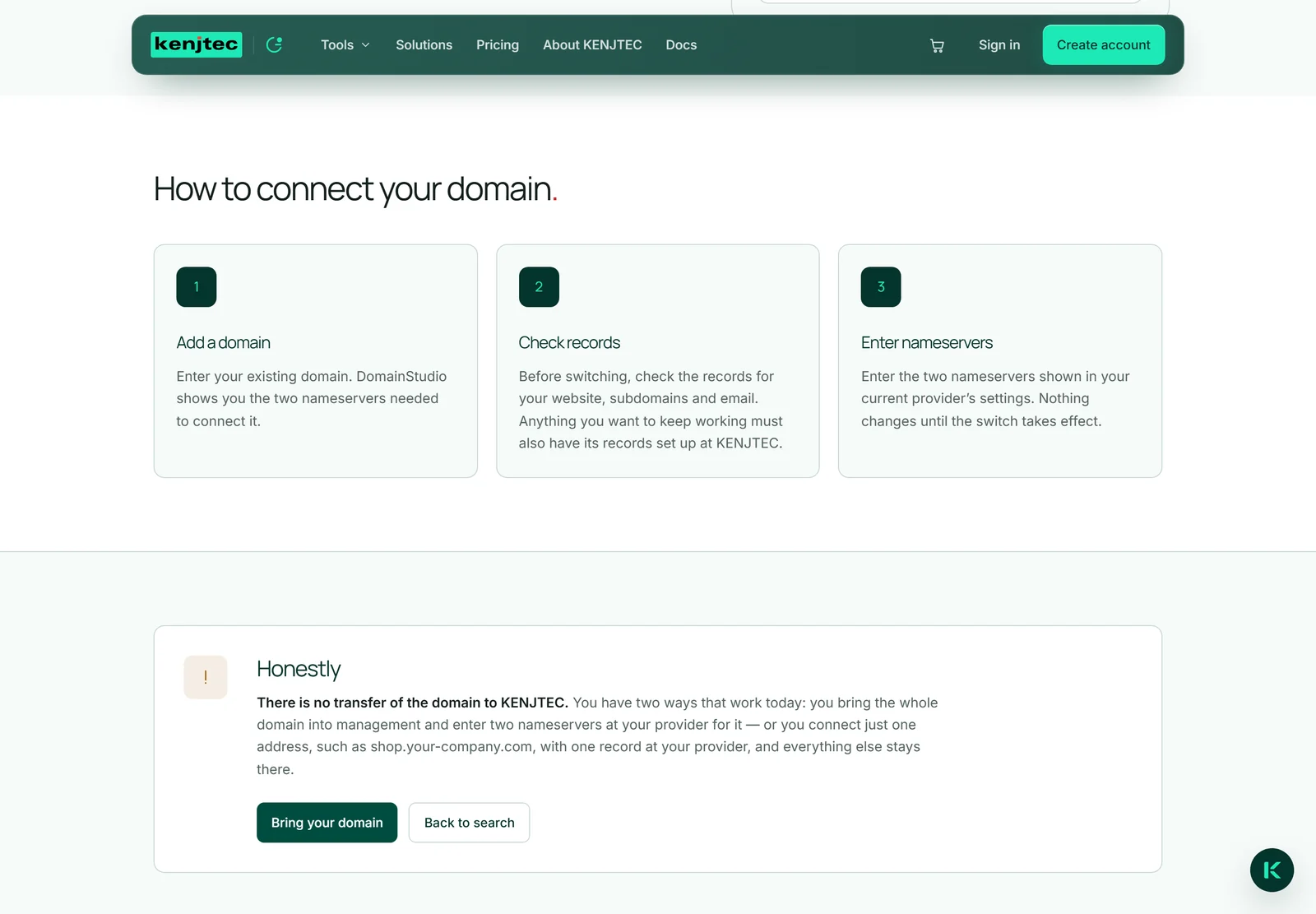
If a domain is taken, the search on the DomainStudio ai page offers “Bring your domain” instead of a price. The page behind it, “Bring your own domain”, lists the three steps under “How to connect your domain” and says under “Honestly”: “There is no transfer of the domain to KENJTEC.”
You can’t order the change of registrar here. What works today: the domain stays with your provider, and you take it into management here — in the workspace, “It's mine — manage it” leads exactly there. After that you set up website, subdomains, email, redirect and DNS records here, just as with a domain bought from us (Bringing a domain).
How long it takes
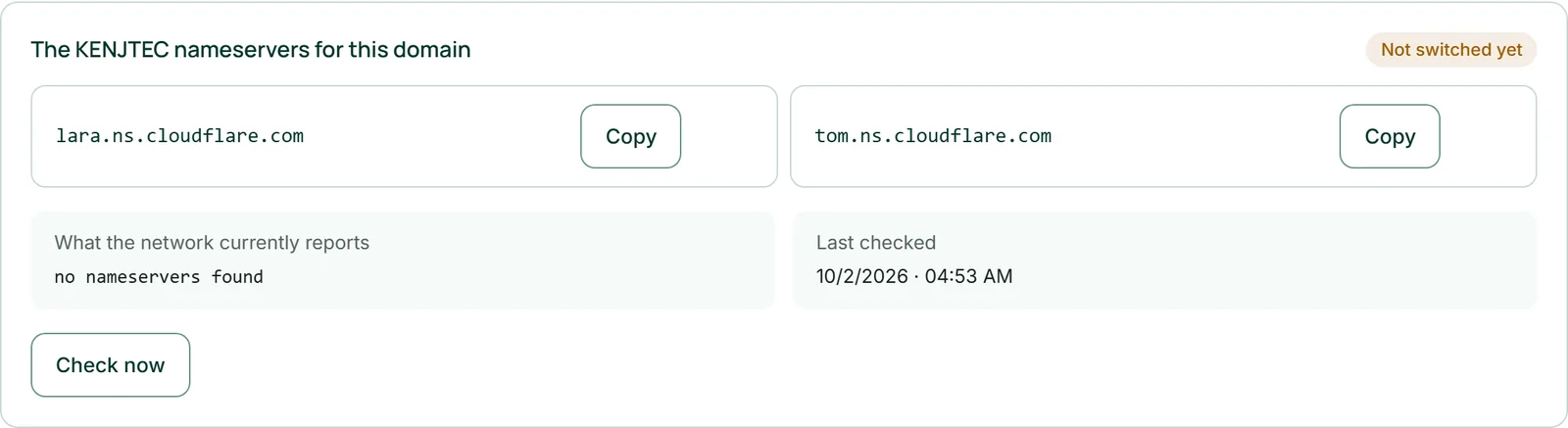
Management begins as soon as the nameservers are switched. How long the network takes for that is up to your previous provider — sometimes minutes, sometimes considerably longer. “Check now” in the domain’s settings shows the state.
Until then, website and email keep running unchanged at the old provider. You can prepare everything in peace — mail records, subdomains, what sits at the front — and only then switch (Switching the nameservers).
What happens to the term
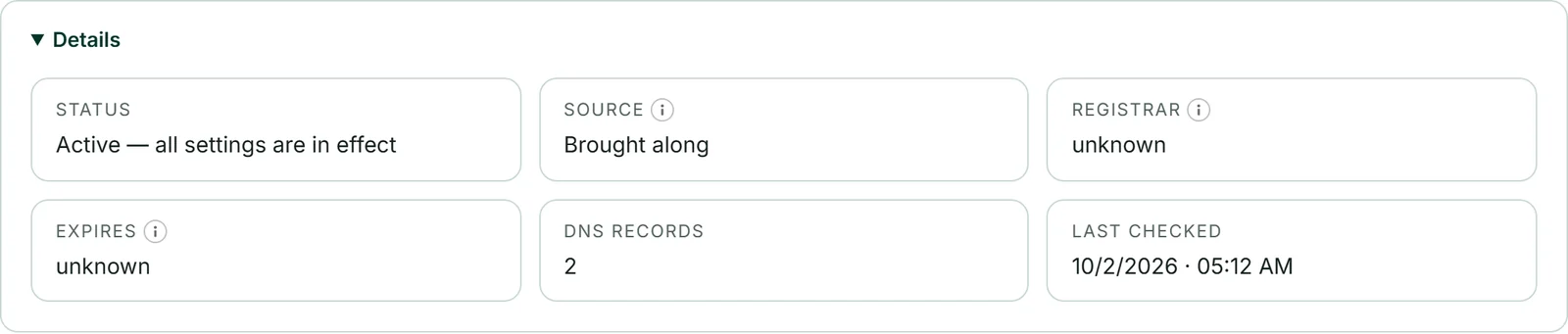
A domain you bring stays registered with your current provider. It keeps being renewed and paid for there as before — managing it with us changes nothing about that. So make sure renewal stays switched on there.
When it expires is shown in the domain’s settings under “Details”, provided the public registry publishes the date; for some endings, such as .de, only your provider has it. If it expires in less than 30 days, the date is highlighted in the overview.
Moving to another provider
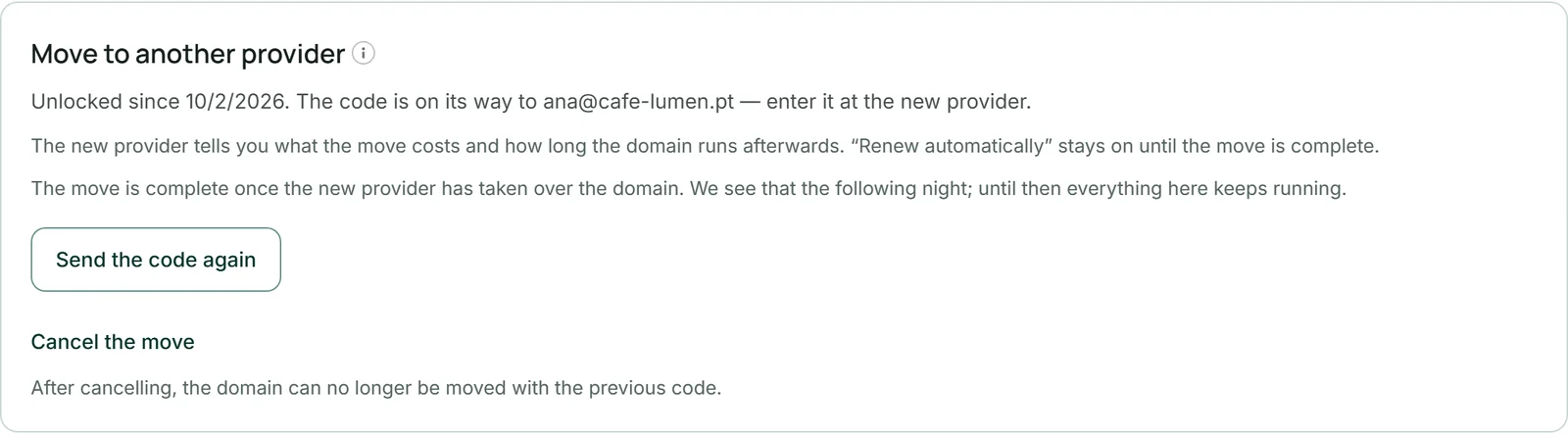
A domain you bought from KENJTEC is yours to take with you at any time. Open it in DomainStudio; the overview shows “Move to another provider”. One click lifts the transfer lock and sends the authorisation code on its way. You enter the code at the new provider — that is where the move begins. You don’t need a plan for this.
How the code arrives depends on the ending, and the card tells you before you click: for most endings, such as .com, the registrar emails it to the owner’s address you gave when buying — nobody at KENJTEC sees it. For .de we generate it, and you see it once on the page after entering your password; it is valid for 30 days. For some endings, such as .eu, the registrar issues it manually; it then also comes by email to the owner’s address.
For endings such as .com, a move is possible 60 days after registration at the earliest; the card then shows the date. For .com and .net the registry extends the domain by one year with the move — the new provider charges for that year. “Renew automatically” stays as you set it until the move is complete.
The move is complete once the new provider has taken over the domain. We see that the following night: the card shows “Moved on …”, the domain is labelled “Brought along”, we no longer renew it, and it no longer holds up deleting your account. The records in DomainStudio keep working as long as the domain names our nameservers.
- Open the domain in DomainStudio.
- In the overview, under “Move to another provider”, click “Unlock and request code” — for .de, enter your password first and click “Unlock and show code”.
- Enter the code at the new provider and start the move there.
If the code hasn’t arrived, “Send the code again” sends it once more; for .de, “Generate a new code” creates a new one. If you change your mind, click “Cancel the move” — after that the domain can no longer be moved with the previous code.