
One address for everything
Your account comes with an address of the form name.kenjtec.ai — for Café Lumen it is cafe-lumen.kenjtec.ai. Everything you publish lives under it.
The website you published first sits at the front, directly under the address; any further website lives under /site/ followed by its name. Forms live under /f/ or under a name of their own such as /reservieren, a shop under its path, for example /shop. WordPress sites have their own address of the form name.wp.kenjtec.ai.
A domain of your own such as deine-firma.com follows the same order: deine-firma.com/shop is the same shop as cafe-lumen.kenjtec.ai/shop. You set up domains, paths and the names of your forms in the address plan in DomainStudio.
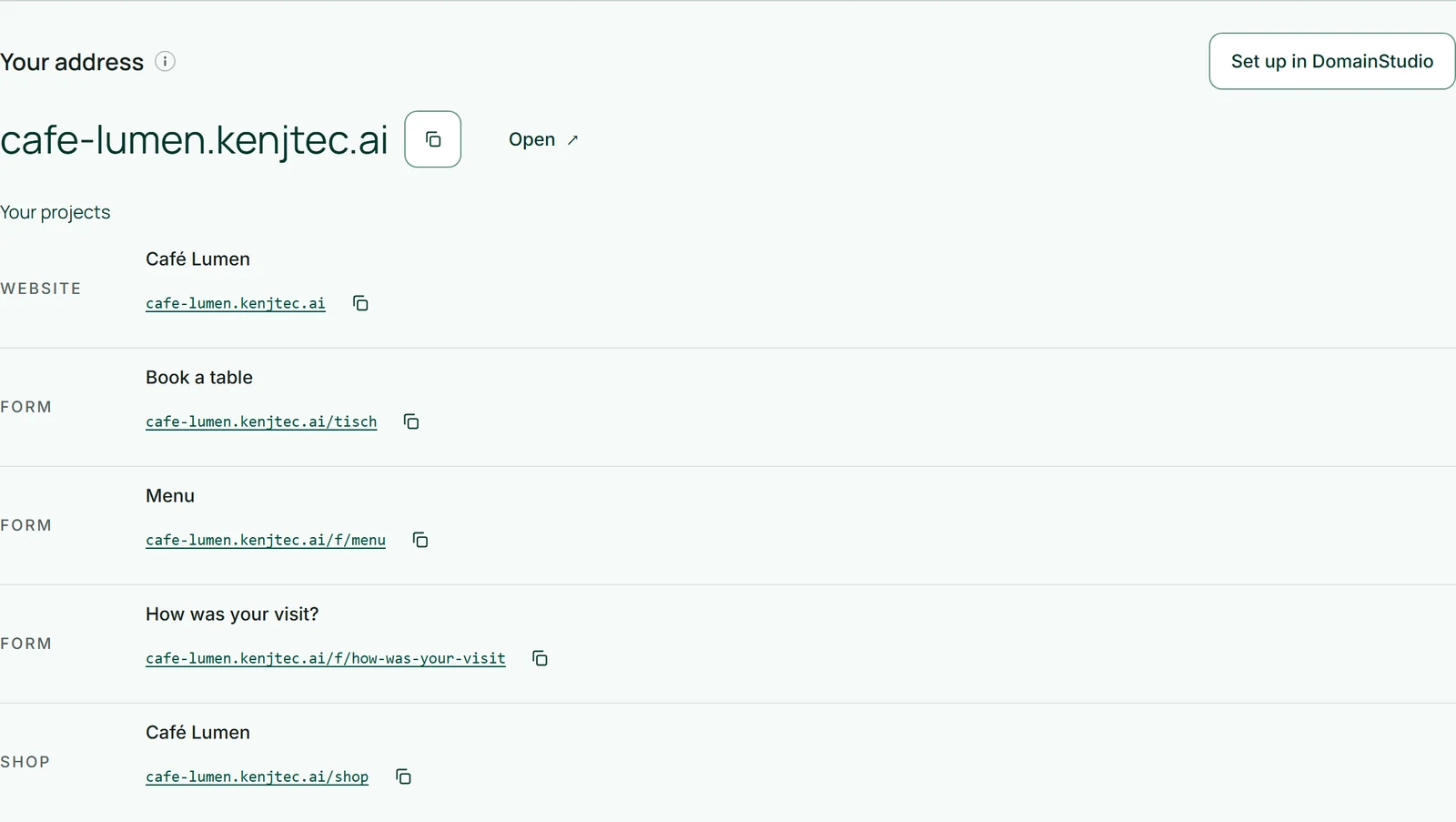
Where you see your address
The dashboard overview contains the “Your address” block: the address in large type, with a copy button and “Open” next to it. Below come “Your projects” with the address of each one and “Your domains” with their status. A project that isn’t published yet shows “No address yet — publish first.”
The block is a view only. Changes are made in DomainStudio — “Set up in DomainStudio” takes you straight there.
- Open “Overview” in the dashboard and scroll to “Your address”.
- Click the copy icon next to the address — “Copied” confirms it.
- Paste the address wherever you need it: into a message, onto the menu card, into your profile.
Changing the name
A new account is first called konto- followed by a number, such as konto-1234.kenjtec.ai. You change the name in front of .kenjtec.ai in DomainStudio under “Your address”, in the “Name” section.
Lowercase letters, digits and hyphens inside the name are allowed, 3 to 32 characters. Names that sound like KENJTEC itself or like other companies’ brands are blocked — with a number attached too. If a name is already taken, a message tells you.
The name on your account and the name of your address are two different things: you change the first under “Account”, the second only here.
- In the dashboard, click “Set up in DomainStudio” in “Your address”.
- Under “Name”, enter the name you want in the “New name” field, for example cafe-lumen.
- Click “Rename” — “Saved.” confirms it, and the new address appears at the top.
When the address becomes fixed
As soon as something is reachable under your address — a published website, a form, an active shop, a connected domain or a WordPress site — “Your address” shows the “Fixed” pill instead of “Still changeable”. The name can then no longer be changed, because every shared link and every QR code depends on it.
A form counts as reachable as soon as it is created. So if you want to change your name, do it before your first form.
The konto- form with a number can always be changed. And if you delete everything that was reachable under your address, another name becomes changeable again too.
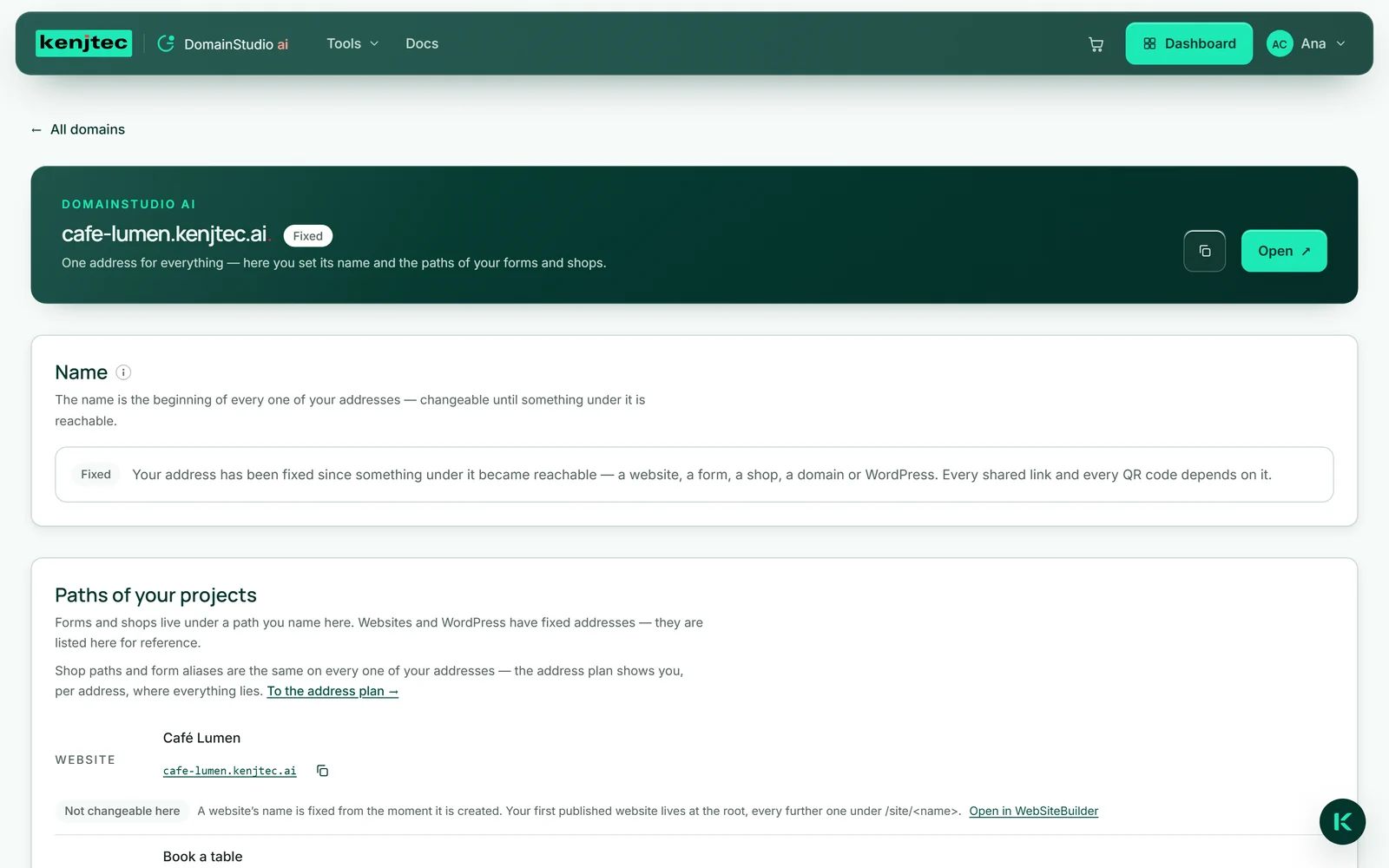
Choose the name before you publish or share anything — after that it stays.