
The events
A webhook is an address on your server to which we send an event as soon as it happens. There are six events:
form.response.created   A new response to one of your forms
form.response.updated   Someone changed their response via the edit link
order.paid              An order has been paid
order.fulfilled         An order has been shipped or handed over
order.canceled          A confirmed order was cancelled
order.refunded          An order was refunded
order.refunded arrives on the first partial refund and on the full refund. A checkout that was never paid and expires is not a cancellation — no event is sent for it.
Set up a webhook
Programs can register webhooks themselves: POST /v1/webhooks with a key that carries webhooks:manage — plus the read scope of the data the webhook sends (forms:read for form events, orders:read for orders).
- Open the Developer area in the dashboard.
- Under “Webhooks”, enter your receiver’s URL — it starts with https.
- Under “Which events?”, choose what you want to receive and click “Create webhook”.
- Copy the secret that appears into your receiver.
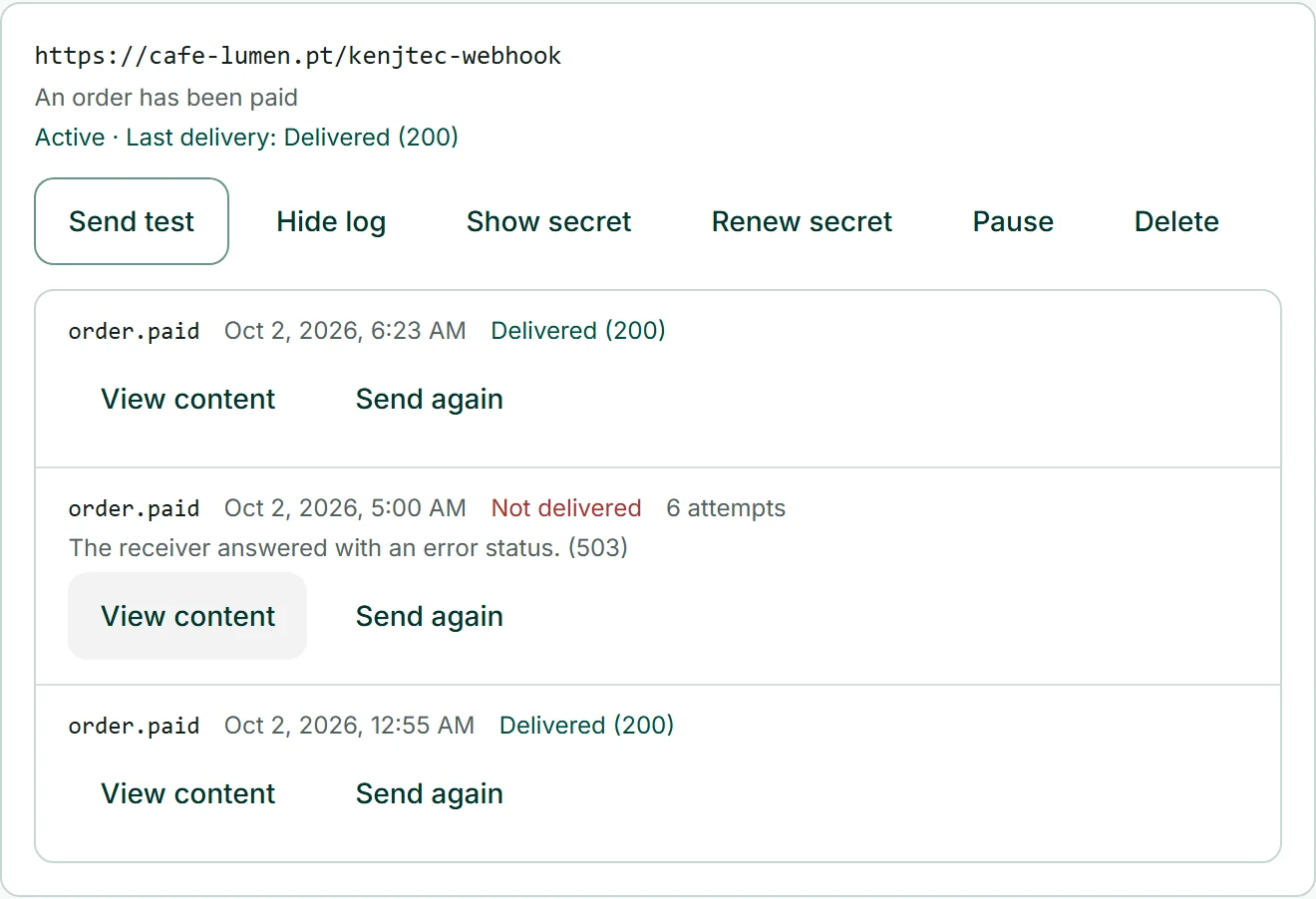
- Click “Send test” — the result appears right below.
What arrives
Every event is a POST with JSON. data.object holds the object in the same shape as in the API — an order as in GET /v1/orders/{id}, a response as in the list of responses. For form events, data.form also tells you which form the response belongs to.
{
  "id": "evt_Q2x9kLmP4vT7aB1cD3eF5gH7",
  "object": "event",
  "type": "order.paid",
  "api_version": "2026-09-23",
  "created_at": "2026-09-23T14:05:12Z",
  "data": {
    "object": {
      "id": 5531,
      "object": "order",
      "number": 42,
      "status": "confirmed",
      "payment_status": "paid",
      "currency": "EUR",
      "total": 3890,
      "customer": { "email": "mara@example.com", "name": "Mara Sol" },
      "items": [
        { "name": "Coffee beans, 500 g", "sku": "KAF-500", "quantity": 2, "unit_price": 1690 }
      ]
    }
  }
}
Verify the signature
Every call carries the header KENJTEC-Signature: t=<time>,v1=<signature>. The signature is an HMAC-SHA256 over the time, a dot and the unmodified request body — with your webhook’s secret as the key. Discard anything whose time is more than five minutes old.
Verify against the raw body before you parse the JSON: a single different space gives a different signature. You can find the secret at any time under “Show secret”; “Renew secret” invalidates the old one immediately.
import crypto from "node:crypto";

// raw: the unparsed request body (Buffer), header: the KENJTEC-Signature header
export function verify(raw, header, secret) {
  const parts = Object.fromEntries(header.split(",").map((p) => p.split("=")));
  if (Math.abs(Date.now() / 1000 - Number(parts.t)) > 300) return false;
  const expected = crypto.createHmac("sha256", secret)
    .update(`${parts.t}.`).update(raw).digest("hex");
  const given = String(parts.v1 ?? "");
  return given.length === expected.length &&
    crypto.timingSafeEqual(Buffer.from(expected), Buffer.from(given));
}import hashlib, hmac, time
def verify(raw: bytes, header: str, secret: str) -> bool:
parts = dict(p.split("=", 1) for p in header.split(","))
if abs(time.time() - int(parts["t"])) > 300:
return False
expected = hmac.new(secret.encode(), f"{parts['t']}.".encode() + raw, hashlib.sha256).hexdigest()
return hmac.compare_digest(expected, parts.get("v1", ""))The same event can arrive twice — for example when your server answers but the answer does not reach us. The id (also in the KENJTEC-Event-Id header) stays the same: remember it and process each event only once.
When something does not arrive
Any answer with a status from 200 to 299 within ten seconds counts as delivered. We do not follow redirects.
If an event does not arrive, we try again: after 1, 5 and 30 minutes, after 2, 6 and 12 hours and twice after 24 hours — for a little over three days. If five events in a row finally fail, we turn the webhook off; the dashboard then says why, and “Turn back on” resets it.
Under “Log” you can see every delivery of the last 30 days with status and content. From there you can send any event again with “Send again”.
Webhooks only go to public https URLs. We do not accept addresses in private networks or KENJTEC’s own addresses.