
Connect your AI
At https://api.kenjtec.com/mcp your account speaks the Model Context Protocol (MCP). Any AI and any program that understands MCP can sign in there — with an API key from the dashboard. Your AI then gets tools for your account: build and change websites, write invoices, manage DNS records, read media and brands.
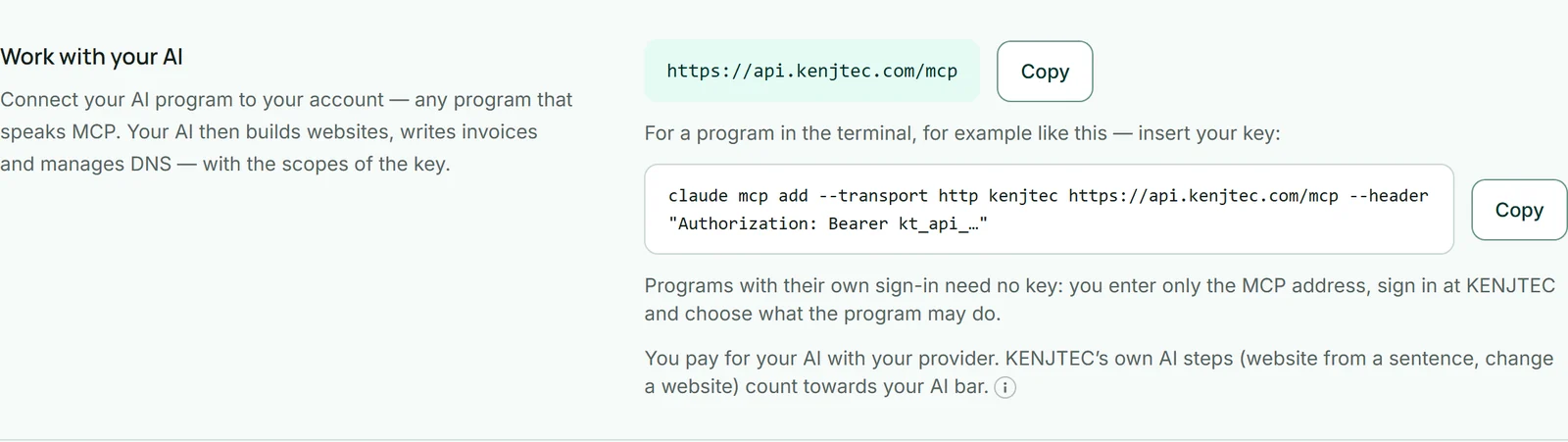
- Create a key under Developer and choose the scopes your AI should have.
- Under “Work with your AI”, copy the command and insert your key.
- Run the command in the terminal and ask your AI what to do in your account.
claude mcp add --transport http kenjtec https://api.kenjtec.com/mcp \
  --header "Authorization: Bearer kt_api_…"
Connect with sign-in — no key
AI programs with their own sign-in, such as assistants in the browser, need no key. Enter only the address https://api.kenjtec.com/mcp as a connection there. The program then sends you to KENJTEC: you sign in, see which program wants to connect and where it returns to afterwards, and choose what it may do.
With “Allow” the connection is made. It is listed in the dashboard under Developer at “Work with your AI”; “Disconnect” ends it immediately.
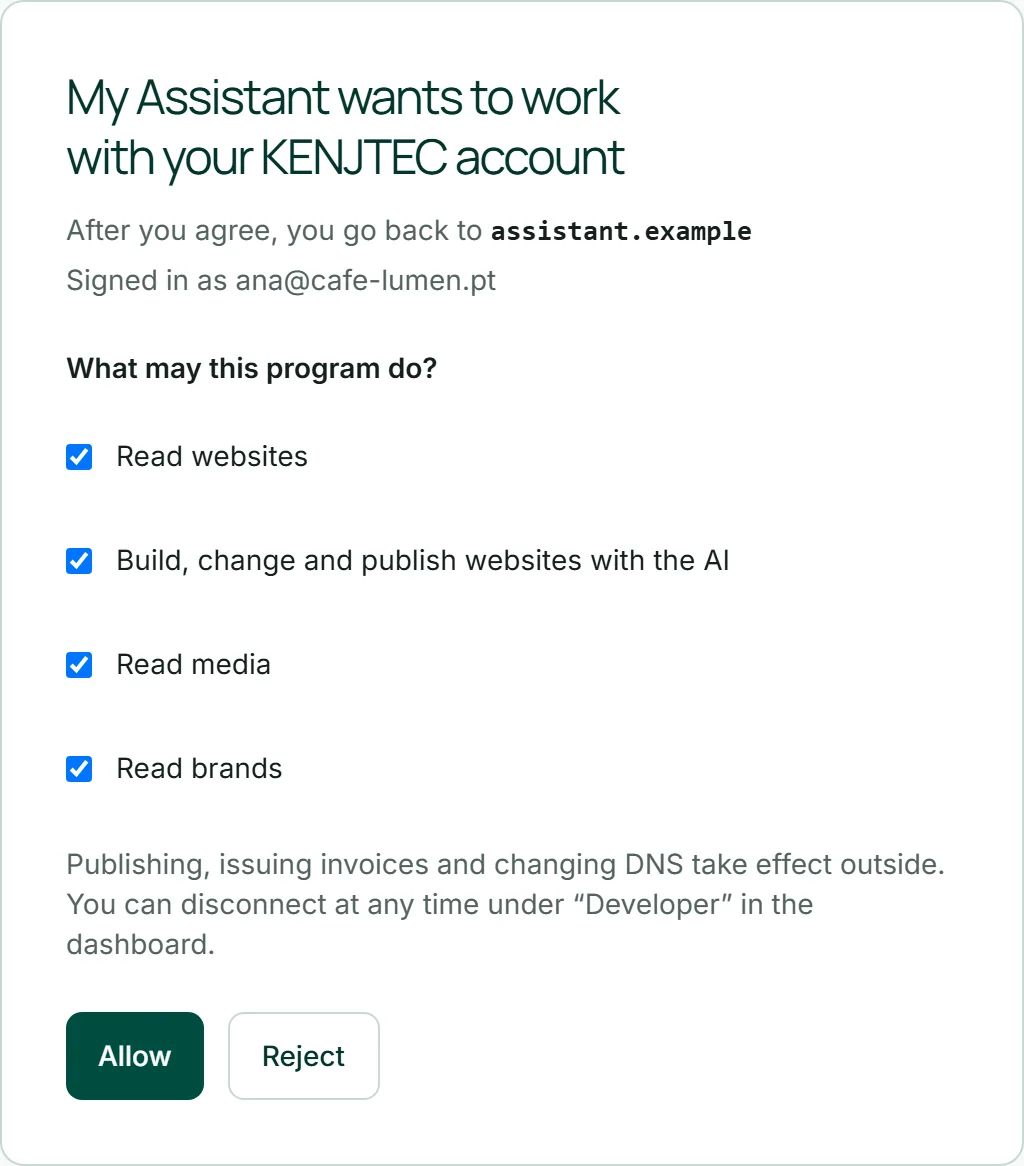
- Add a connection with the address https://api.kenjtec.com/mcp in your AI program.
- Sign in on the KENJTEC page that opens.
- Under “What may this program do?”, choose the scopes and click “Allow”.
On the consent page, check the address after “After you agree, you go back to”. The program chooses its own name, but not that address.
What your AI may do
Your AI only sees the tools the key has a scope for. A key with only sites:read can look at websites but change nothing. Tools that take effect outside — publishing, issuing an invoice, changing DNS — are marked as consequential; good AI programs ask you first.
The same rules apply as in the KENJTEC tools and the API: plan limits, a complete brand before publishing, gapless invoice numbers. If KENJTEC refuses something, your AI gets the reason and can tell you.
Give a key for your AI only the scopes your task needs — and revoke it when you no longer need it.
What it costs
MCP access is part of the API and included in every paid plan. You pay for your AI with your provider. When it uses KENJTEC's AI steps — a website from one sentence, changing a website — that uses your account's AI credit, as in the KENJTEC tools.